
Mobile optimise your PDFs
✅ For travel companies ✅ For hotels
As the app is the main place your clients will view PDFs, it’s essential to make them mobile-friendly. Nobody enjoys pinching and zooming into tiny text or constantly rotating their phone to make a document readable.
Making a PDF mobile-friendly is simple. Here’s a quick checklist to help you provide a smooth user experience for your customers:
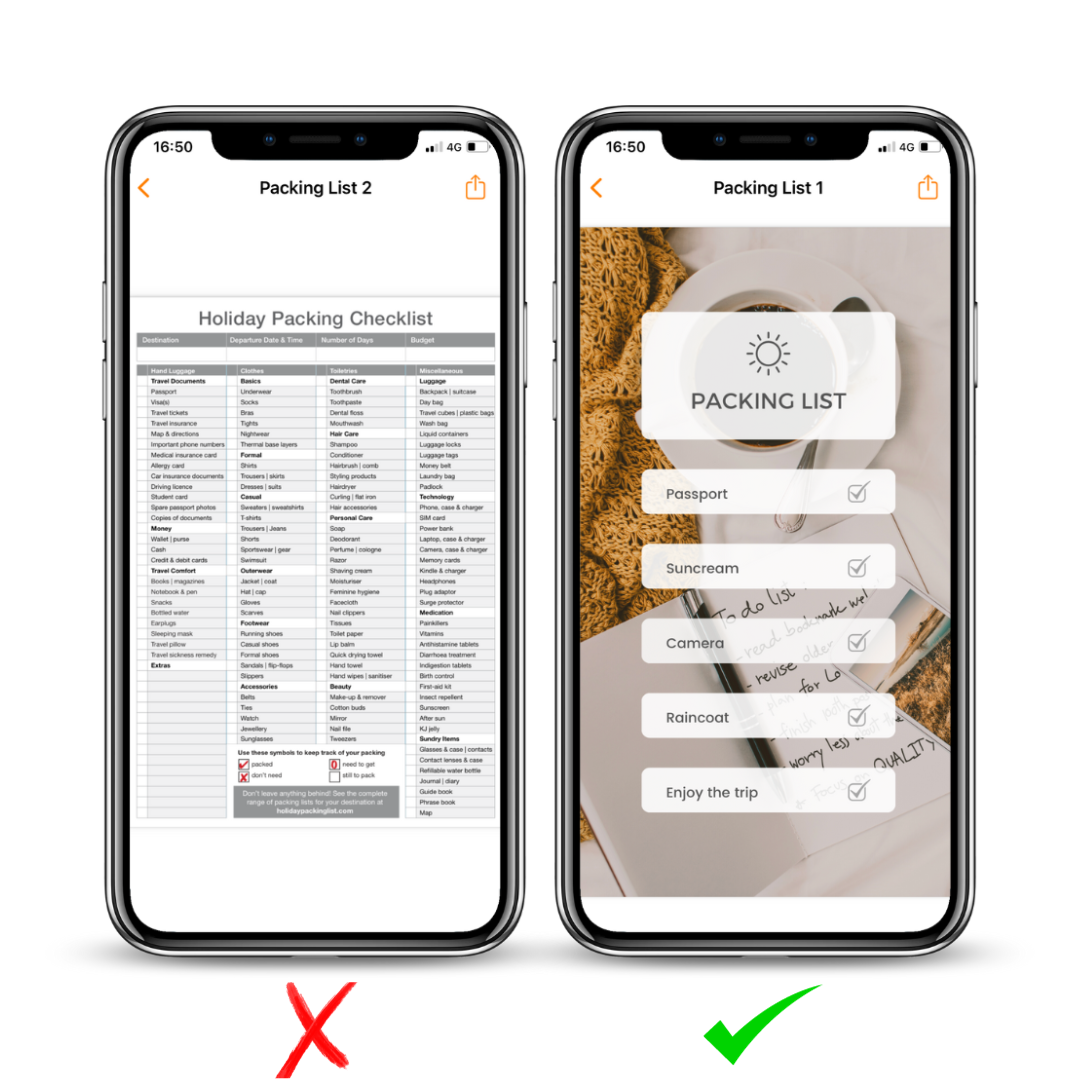
Mobile-friendly PDF checklist
Portrait orientation
A4 size or ideally 1280 x 720 px
Headers: bold text, size 30pt font
Paragraph text: 26pt font
Layout: use single columns and keep it simple
Fonts: choose clear, easy-to-read options (e.g. Arial or Helvetica)
If you follow these steps, you’ll create beautiful PDFs that showcase your expertise while still being easy for clients to read on any device.
If you have any further questions or need help with this, contact us at support@vamoos.com.