
Using Vamoos Connect in the Portal
✅ For Travel Companies
Vamoos Connect puts a database of 1.2M+ hotels straight into your trips. No downloading images, no rewriting descriptions, no chasing hotels for content. Here's how it works, right inside the Vamoos Portal.
In this article:
What is Vamoos Connect?
Adding a Connect property to Locations
Adding a Connect property to the Storyboard
Carousel View
FAQs
What is Vamoos Connect?
Vamoos Connect is our built-in hotel content platform. Search for any property, and Connect pulls through professionally branded photos, descriptions and facilities, ready to drop straight into a trip.
You'll spot Connect properties wherever they appear in the Portal by the orange V icon.
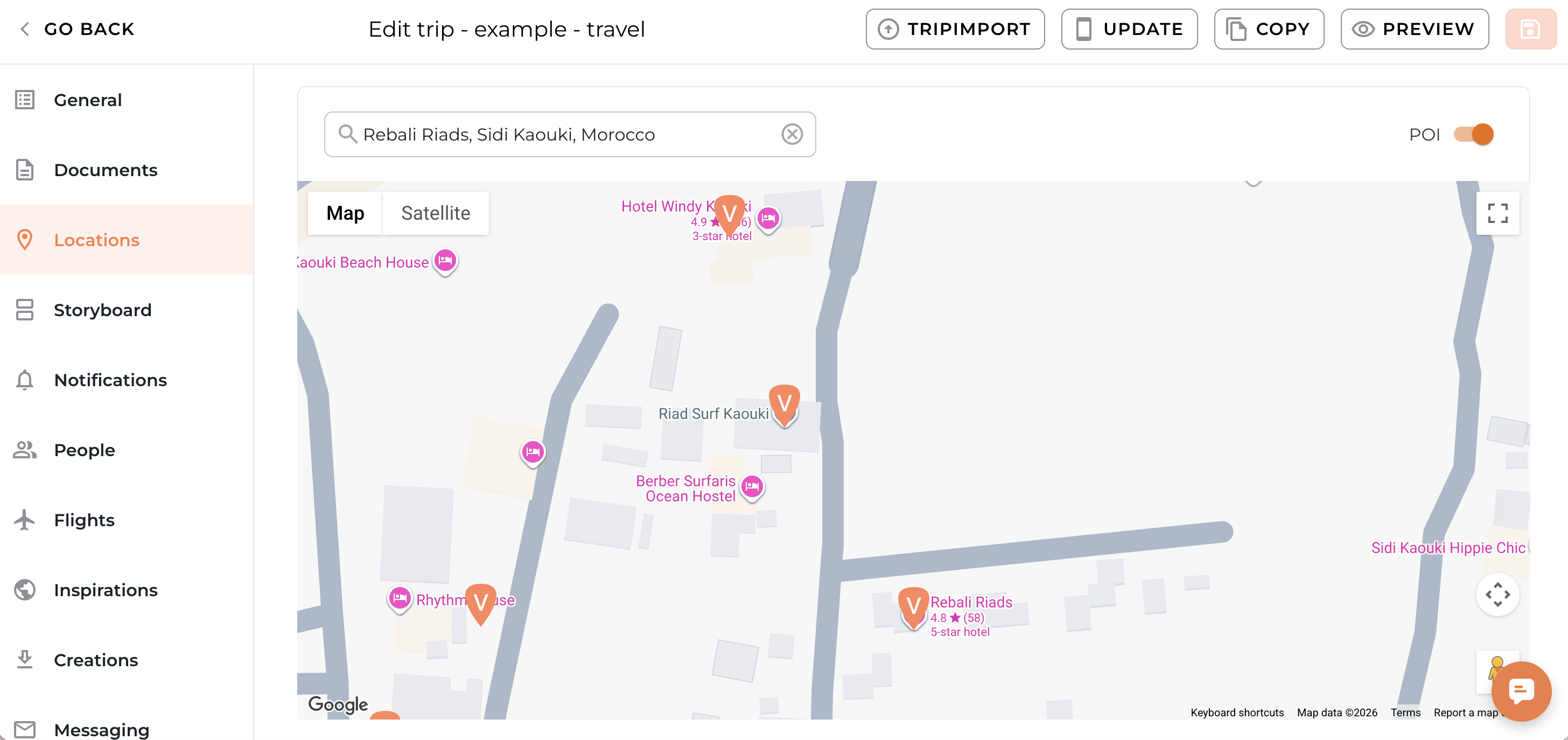
Adding a Connect property to Locations
The fastest way to add a hotel profile to a trip:
Open your trip and go to Locations in the left-hand menu.
Start typing a hotel name in the search bar.
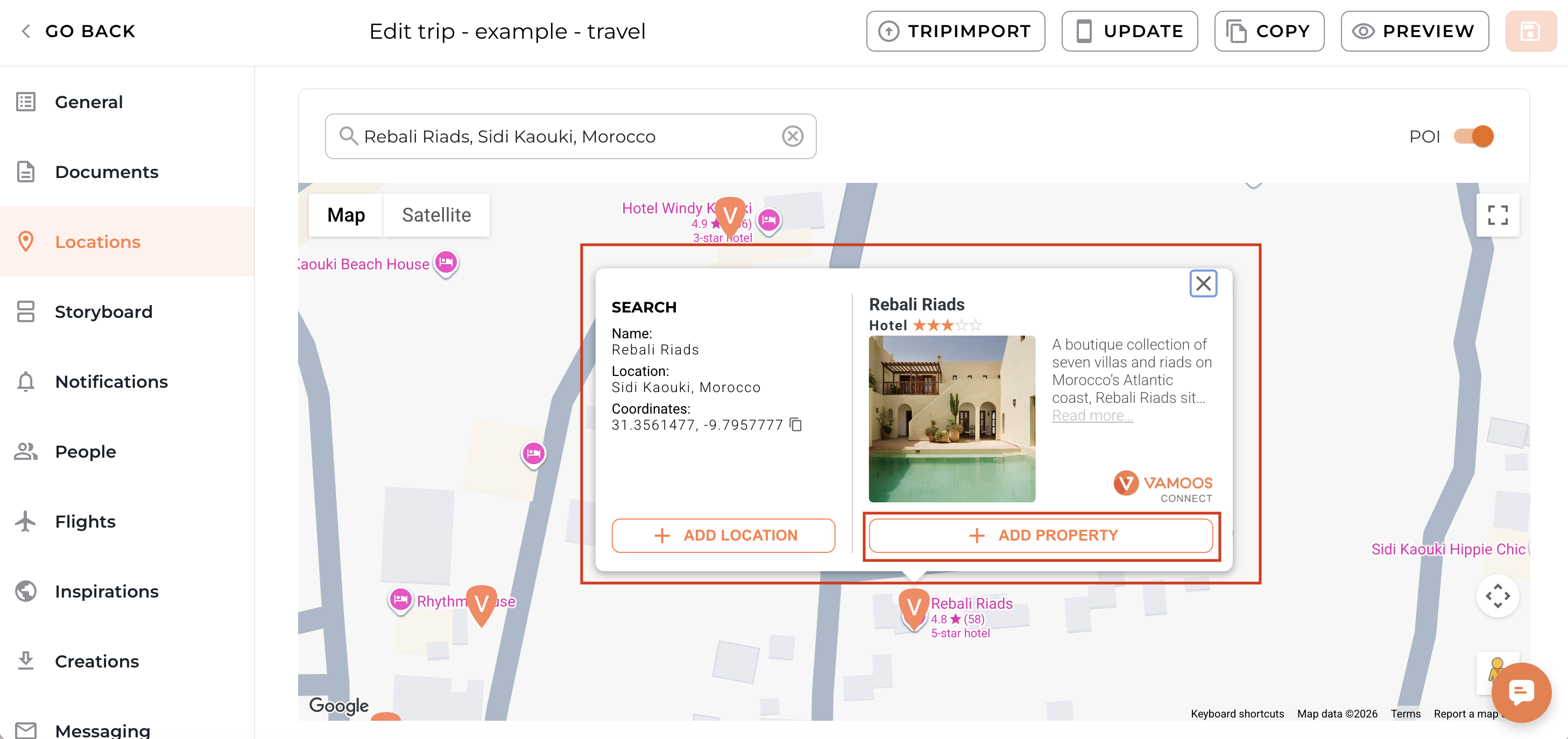
Select the property from the results.
You'll now see two options side by side:
Add Location - drops a plain map pin, with no hotel content attached.
Add Property - the Vamoos Connect option. This pulls in the full branded profile: photos, description and facilities, all ready to go.
Once added, the property appears in your Locations list, where you can toggle Weather and Maps on or off, or click Edit to fine-tune the details. A Connect property will be highlighted in orange.

TOP TIP: Always choose Add Property over Add Location when a Connect result is available - it's the difference between a pin on a map and a fully branded hotel profile your client can actually browse.
Adding a Connect property to the Storyboard
Building your day-by-day itinerary? You can pull hotels straight into the Storyboard too.
Go to Storyboard in the left-hand menu and select Add to storyboard.

In the Add storyboard frame window, select the Connect tab.
Search by hotel name, or narrow things down using the Country filter.
The map shows how many Connect properties are available in each region - zoom in or click a cluster to explore.
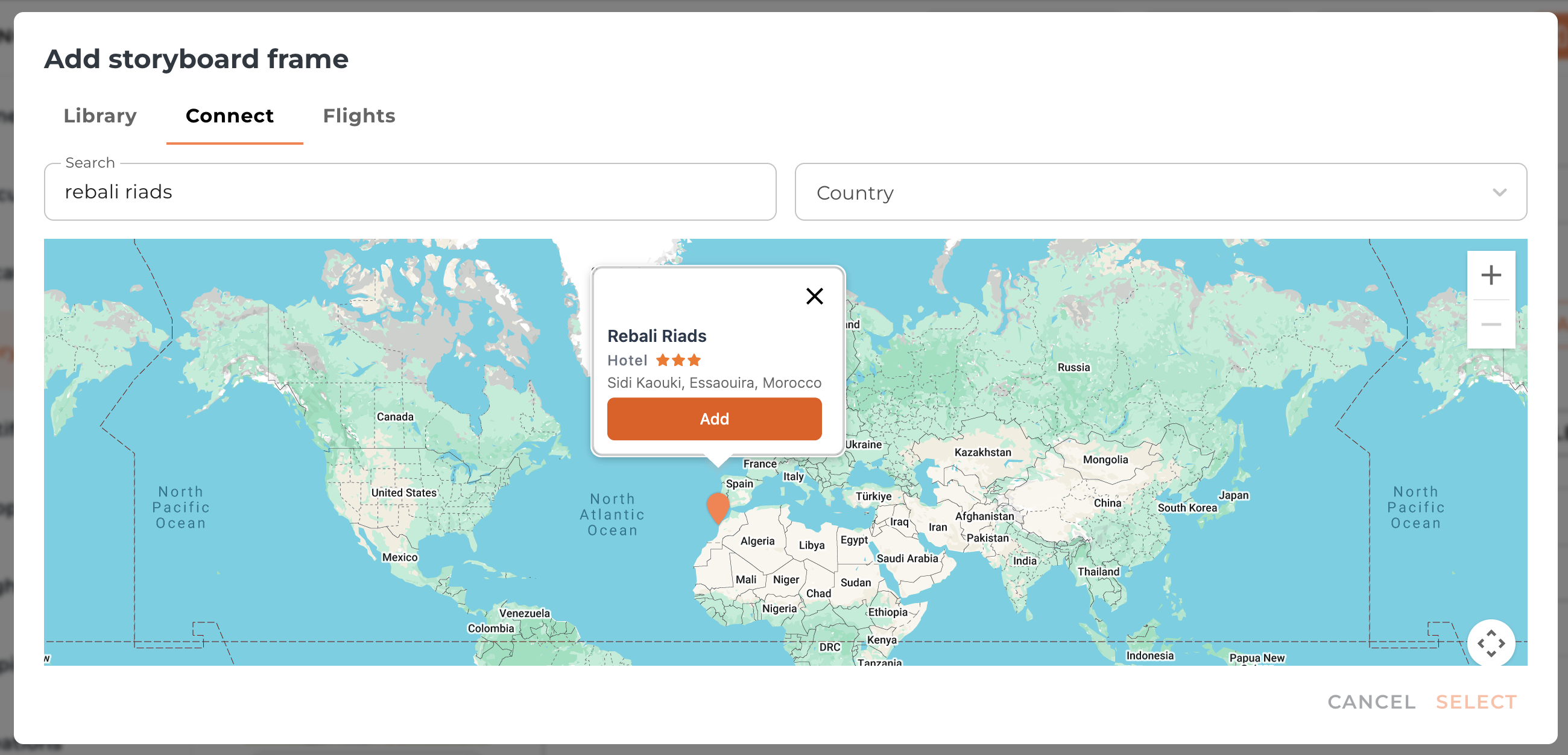
Select your property, then click Select to add it to the day.
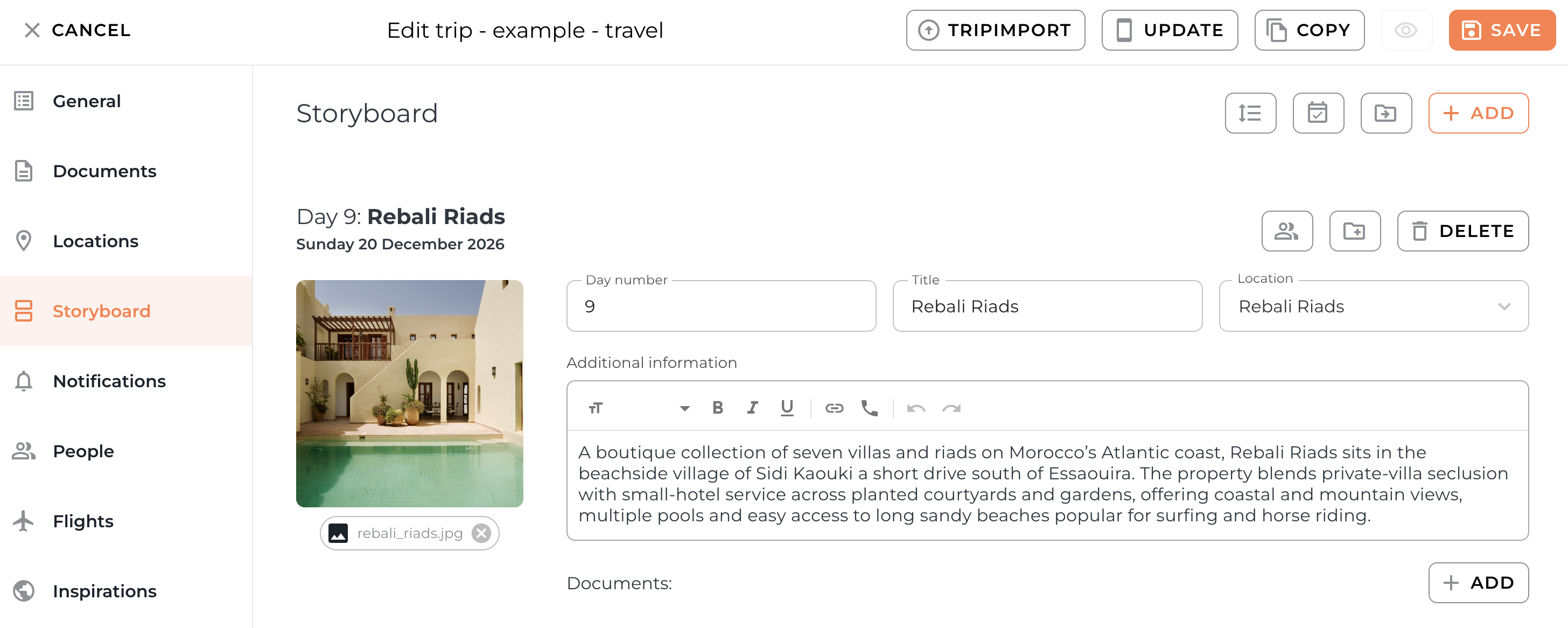
Note: The cover image and summary of the property profile will appear in the Storyboard - to change this, you can customise the property in the Vamoos Connect portal.
Carousel View
When you add a Connect property to a trip, its hotel content doesn't just sit in the Portal - it travels through to the app too.
In the app, that content appears as a swipeable carousel of photos and details, sitting directly behind the relevant day in your client's itinerary. Rather than a plain map pin, your client can swipe through the hotel's imagery, description and facilities without ever leaving the trip - all wrapped in your branding.
If you'd rather keep things simpler, you can turn Carousel View off entirely.
Step 1: Open Settings
Head to Settings at the top of the page and select General.

Step 2: Turn off the Carousel View
Toggle off the Display carousel view for Connect properties button.
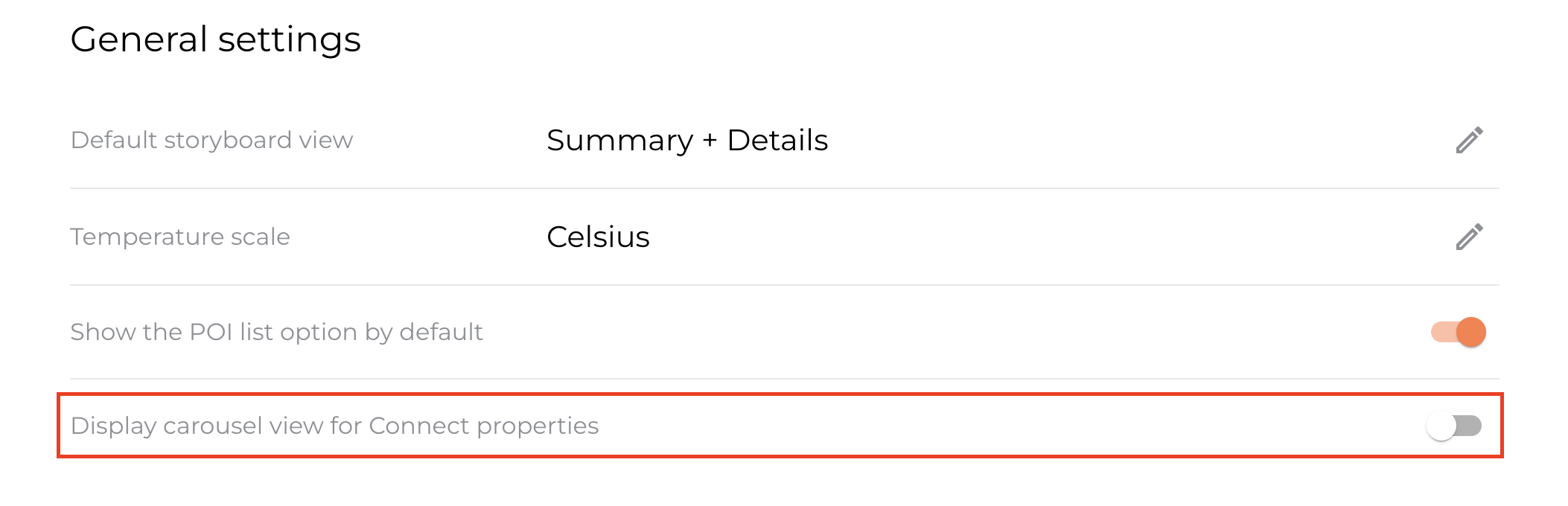
With Carousel View off, Connect properties still show on the map, but the hotel content behind the itinerary won't appear to your clients.
FAQs
Q: What's the difference between Add Location and Add Property? A: Add Location drops a plain pin with no content. Add Property uses Vamoos Connect to bring in the full branded hotel profile - photos, description and facilities included.
Q: Can I still add a hotel that isn't in the Connect database? A: Yes - use Add Location to add any property manually, whether or not it's covered by Connect.
Q: How do I know if a hotel is a Connect property? A: Look out for the orange V icon alongside the property name.
If you have any further questions or need help with this, contact us at support@vamoos.com.