
Editing locks
✅ For travel companies ✅ For hotels
Editing locks will warn you when another user is editing the same trip as you, preventing both of you from editing at the same time and risking changes not being saved.
How to use editing locks
For editing locks to work, each team member needs their own login. You can’t all be logged in under the same credentials. Read our article on adding users here.
This also applies if you are editing a trip in more than one tab or window.
If you try to edit a trip that another person is editing or has open, you’ll see a notification like this:
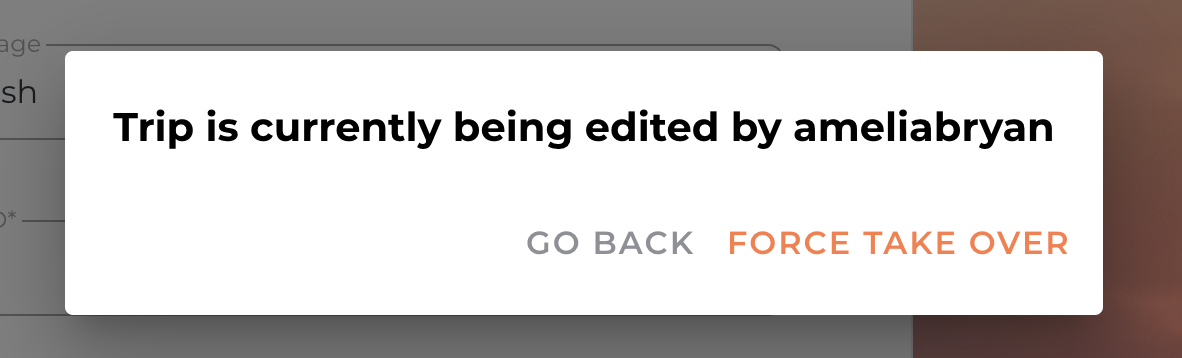
If you press FORCE TAKE OVER, their changes will be saved automatically and you will then be able to edit the trip.
The other user will be stopped from making further edits and will see the same notification letting them know someone else has taken control.
If you don’t want to force takeover, press GO BACK to return to your Vamoos list.
If you have any further questions or need help with this, you can contact us at support@vamoos.com.