
How to delete a Trip
✅ For travel companies
You may want to delete a trip from your Vamoos List for many reasons, and it’s really easy to do so.
When you delete a trip, the itinerary becomes immediately unavailable in the app. It will be wiped from any existing devices that have it installed the next time they connect to our servers.
Deleted trips remain in your deleted items for 5 days before being permanently erased.
In this article:
Deleting a trip
Go to your Vamoos List and click on the trip you’d like to delete to open it.
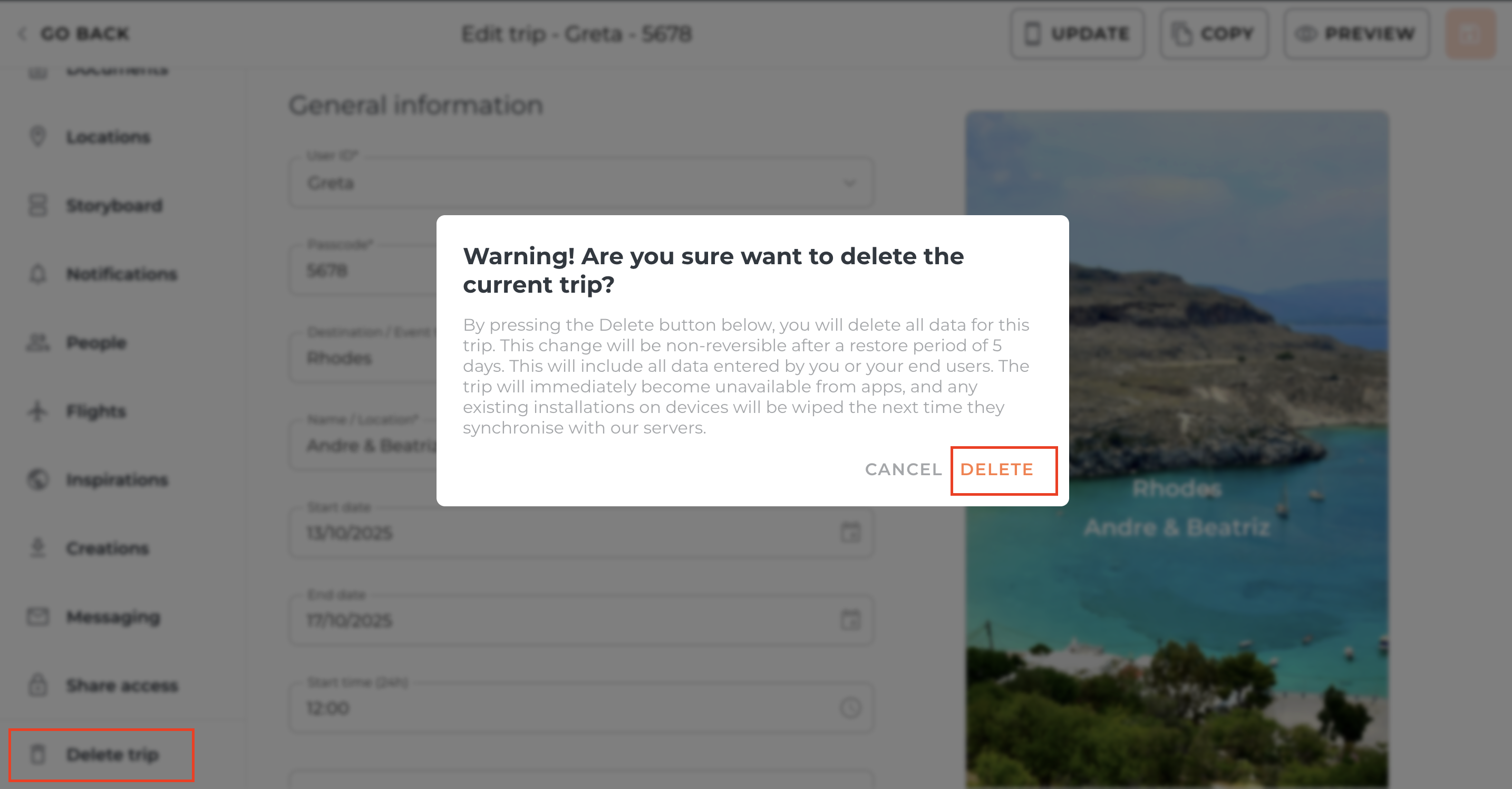
Scroll down to the bottom of the left-hand menu and click Delete Trip.
A warning will appear. Press Delete to confirm.
Restoring a deleted trip
If you deleted the trip less than 5 days ago, you can restore it.
Go to your Vamoos List and switch on Show Deleted (on the right-hand side).
The deleted trip will appear highlighted in red. Scroll to the right-hand side and click the Restore Trip icon.
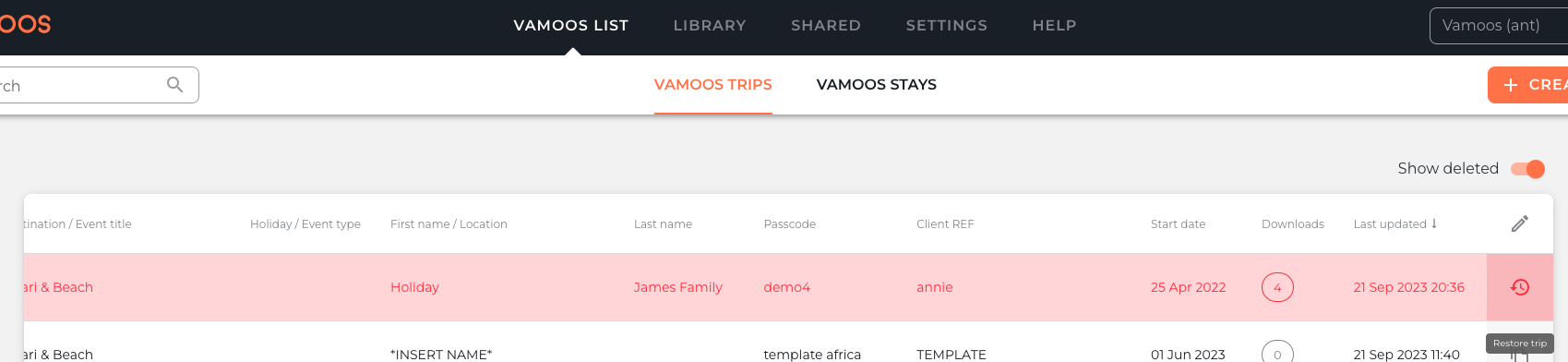
Your trip will turn from red back to white, and it has been restored.
If you have any further questions or need help with this, you can contact us at support@vamoos.com.