
Reusing previously used passcodes
✅ For travel companies
Previously, if a passcode was saved in a Vamoos Trip at any point, it could never be used again. Now, you can delete passcodes to make them re-available.
In this article:
Background
Until now, due to security reasons, once a passcode was used in a Vamoos Trip, it was permanently blocked from being reused-even if it was changed straight away or if the trip was deleted.
However, after feedback from Vamoos operators, we’ve implemented an option in the Portal to make passcodes reusable.
Freeing Up Passcodes
Go to your Vamoos Portal and navigate to Settings, click Passcodes in the top menu.
Enter the passcode you want to free up and press Delete. That passcode will now be available for future trips.
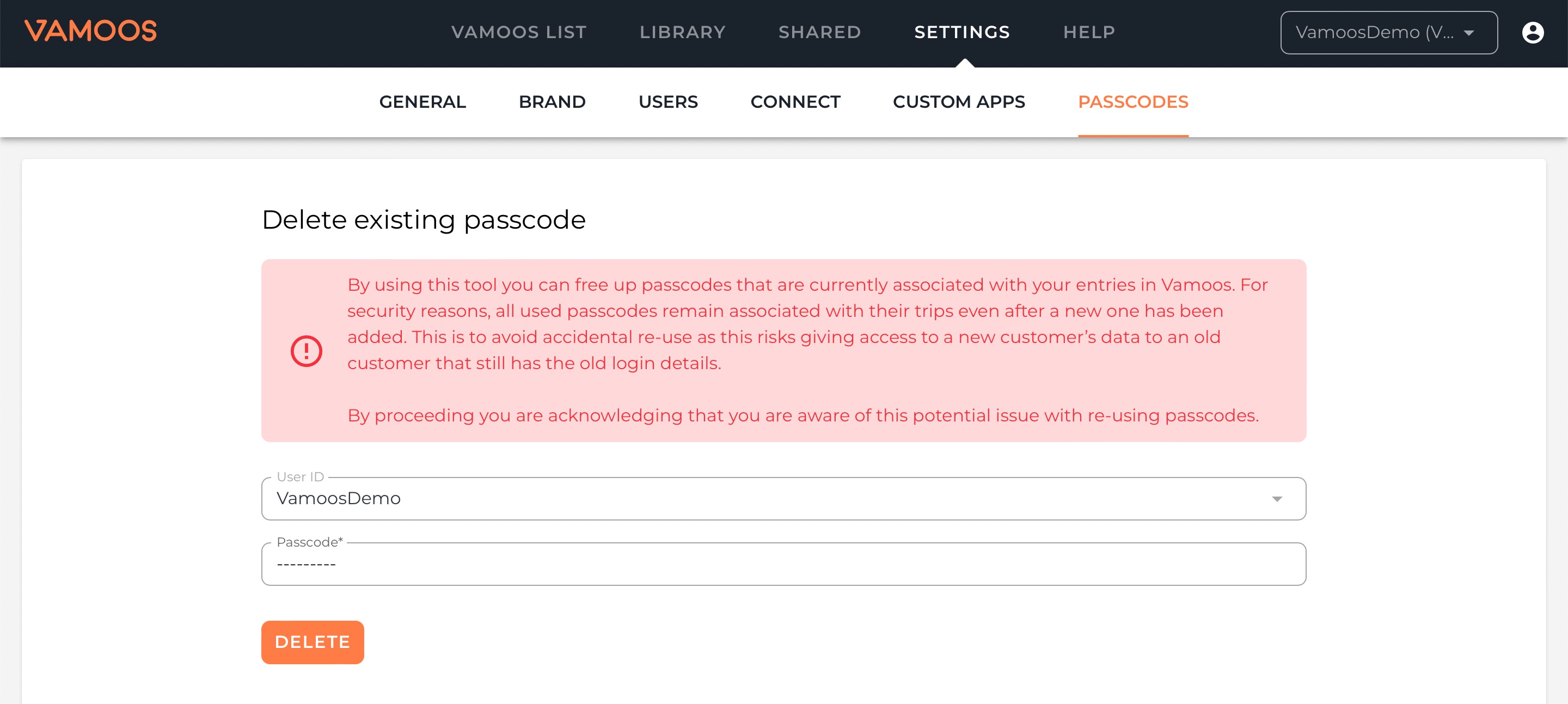
Important note on security
All used passcodes remain linked to their original trips, even after a new one is assigned. This prevents accidental reuse that could give a previous customer access to a new trip.
By choosing to reuse a passcode, you acknowledge this potential risk.
If you have any further questions or need help with this, contact us at support@vamoos.com.