
Daily Activities: advertise your activites
✅ For Hotels & Accommodation
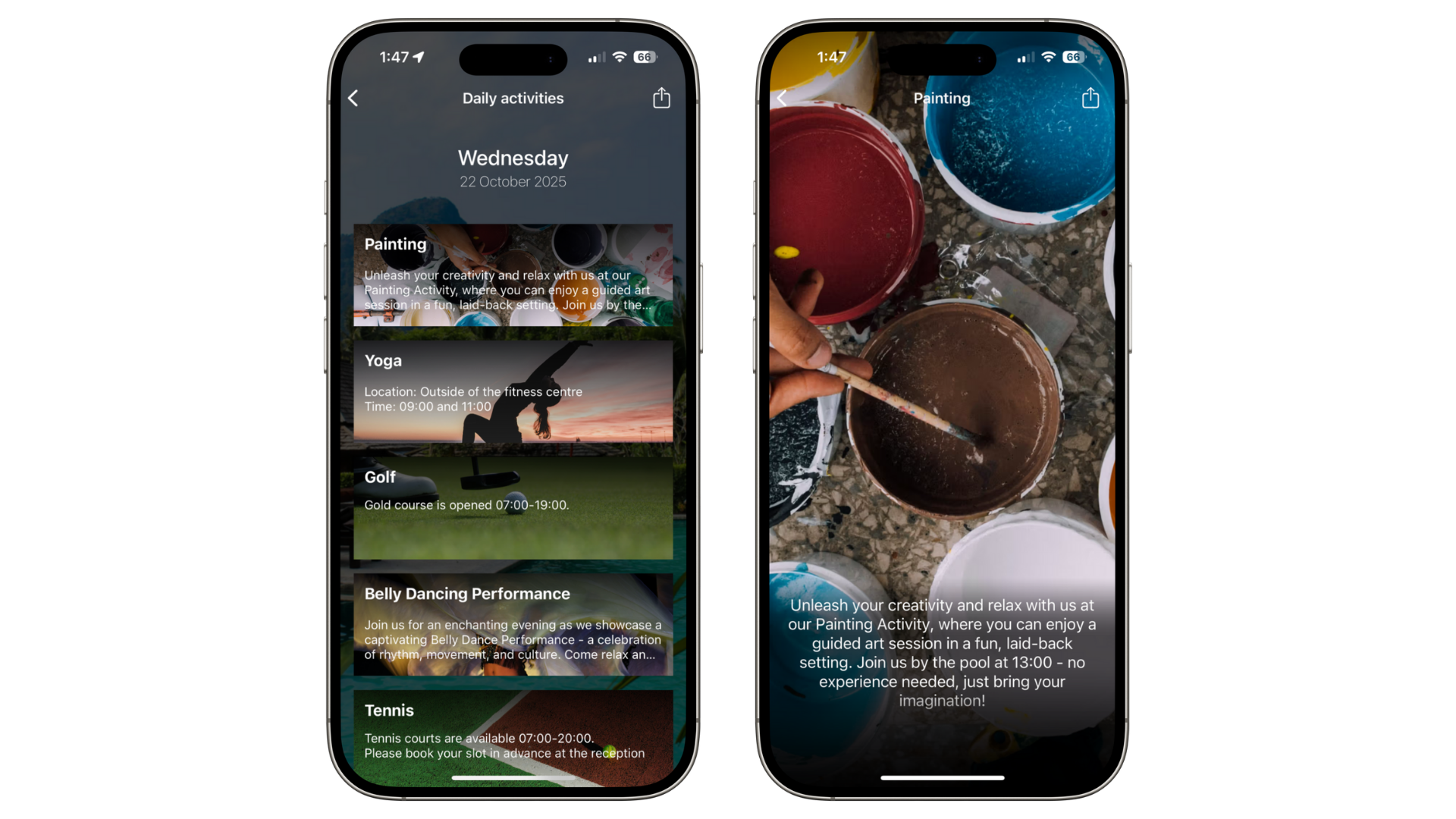
The Daily Activities section of Vamoos allows you to highlight and promote the activities you offer at your property.
In this article:
Introduction to Daily Activities
Advertise all the activities you have to offer your guests.
No need to rely on notice boards or staff to promote free or paid activities.
Saves time for both guests and staff, with information available 24/7.
Access settings
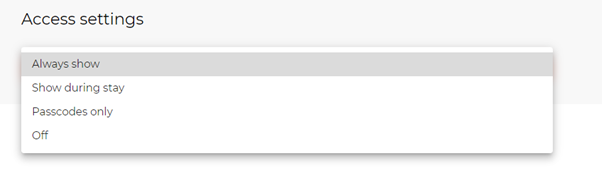
Control who can access the information through Access Settings.
Daily Activities can be available:
At all times
Only during a guest’s stay
Only with a passcode
Or hidden completely
Add your Daily Activities
Go to Daily Activities in the left-hand menu.
Press Add and fill in the activity details.

Activity details include:
Title: name the activity (e.g. “Morning Yoga”).
Days: choose which days it should display.
Description: add details about the activity.
Background image: upload an image related to the activity.
Video: embed a promotional video if relevant.
Buttons: add up to two call-to-action buttons with links or PDFs.
Give each button a name and icon.
Attach a PDF or URL.
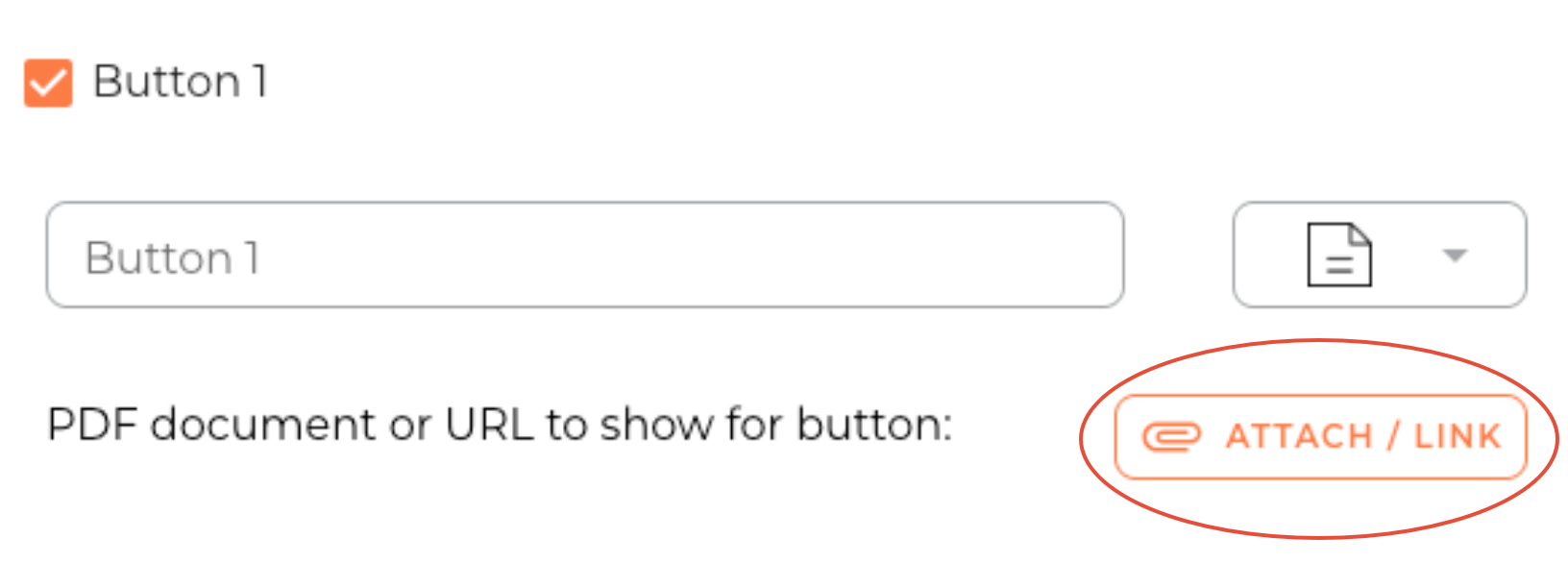
TOP TIP: Use the ‘Button’ feature to add a booking link (e.g. spa treatments). Guests can pre-book directly through the app.
Managing activities
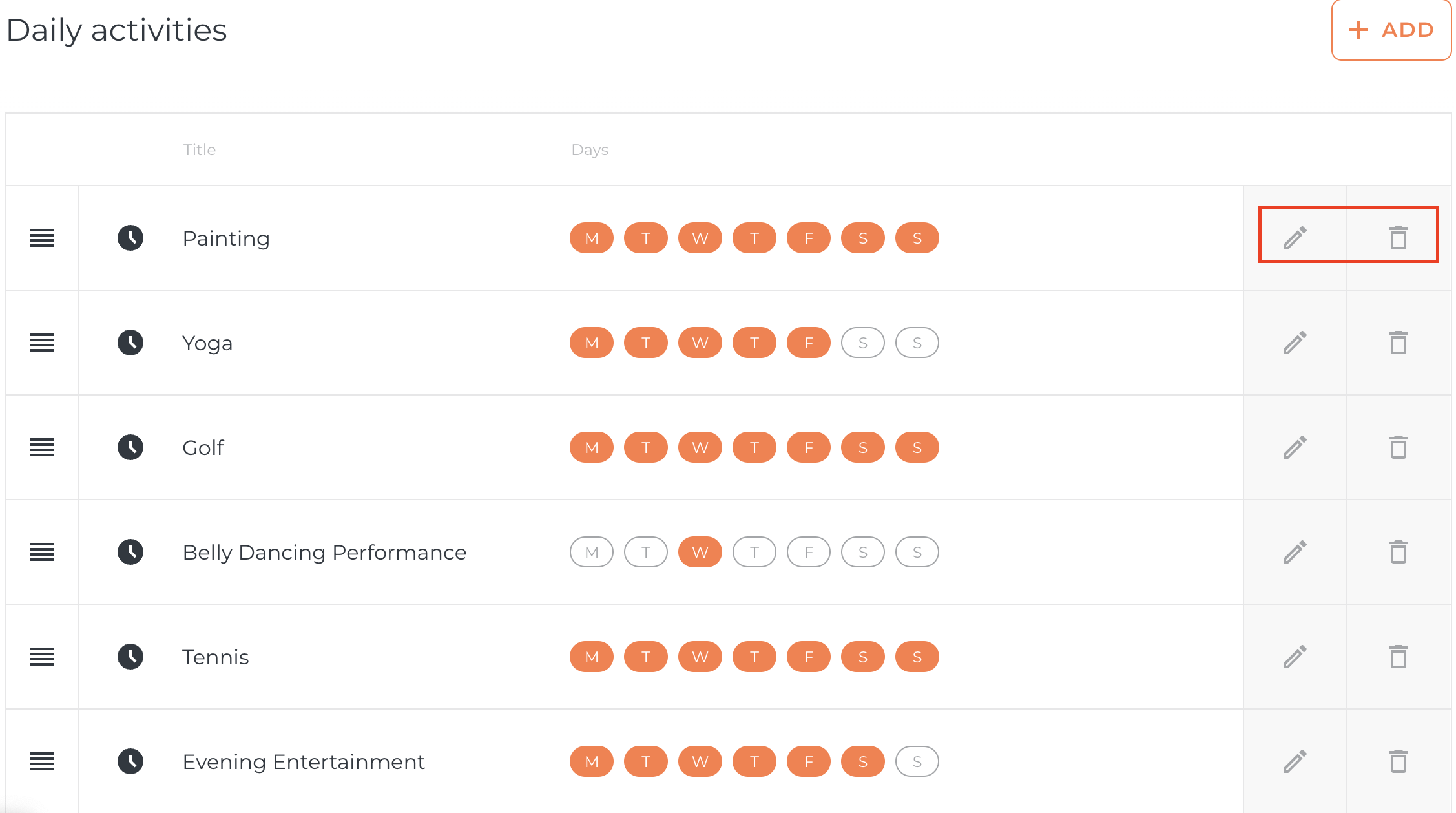
Edit activity details or availability using the pencil icon.
Delete activities using the bin icon.
If you have any further questions or need help with this, contact us at support@vamoos.com