
Multilingual: provide your property in multiple languages
✅ For Hotels & Accommodation
Give guests your property app in their native language to make it personal.
In this article:
What is the Vamoos Multilingual feature?
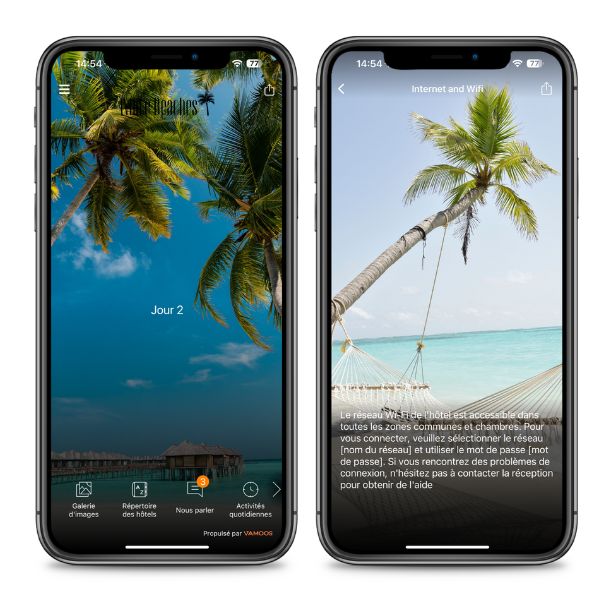
Provide your property information in your guests’ native language.
Add your translations in any language in the Operator Portal. Vamoos will then show the correct version of your content, menus, and labels for a seamless single-language experience.
If you use one of our 9 supported languages, the login screen, fixed menus, and system messages will also be translated automatically.
Currently supported: English, Spanish, French, German, Dutch, Danish, Swedish, Finnish, Norwegian, Czech. More are being added — email us to request one.
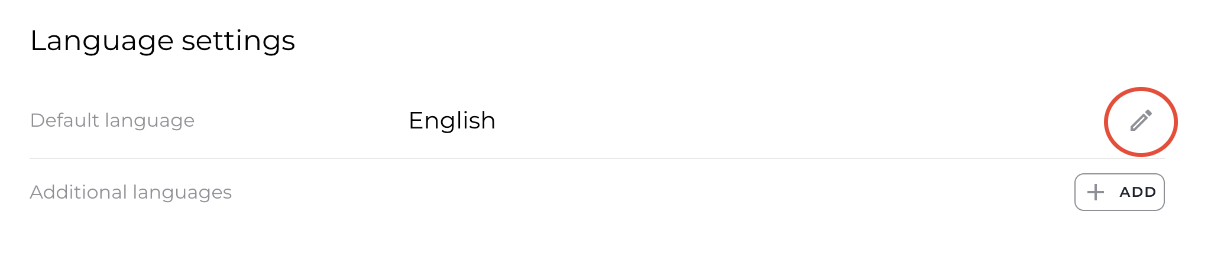
How to change your default language
Log in to the Operator Portal and go to Settings > General > Language Settings.
Press the pencil icon, select your default language, and click Save.
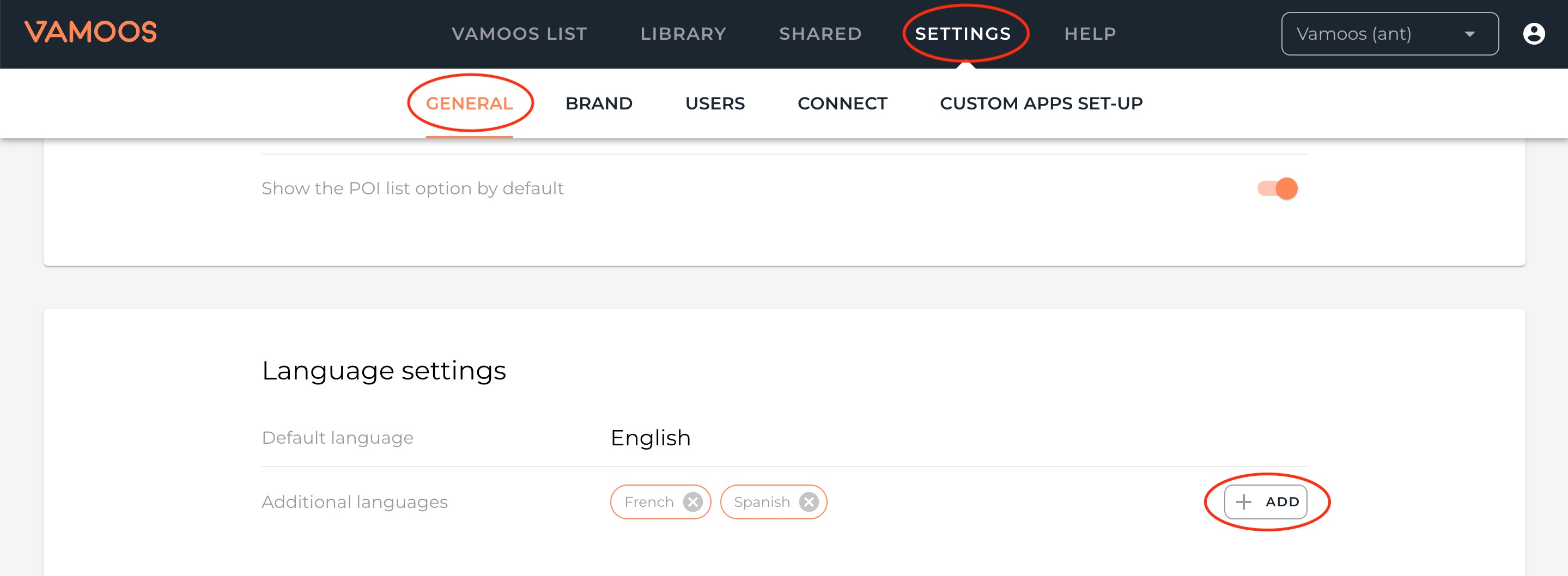
How to set up additional languages
In the Operator Portal, go to Settings > General > Language Settings.
Press Add, choose your additional languages, and click Save.
Go to Vamoos List > Vamoos Stays and open your property to edit.
You’ll now see your activated languages at the top of the edit screen.
Select a language to begin translating — a blank parallel version of your Stay will appear. Work through each section and enter your translated content.
Re-upload any images or links if needed.
TOP TIP: Open your original version in one browser tab and your translation version in another. This makes it easy to copy across and translate section by section.
If you leave a section blank, the default language version will be shown (e.g. galleries can be left blank to reuse existing images).
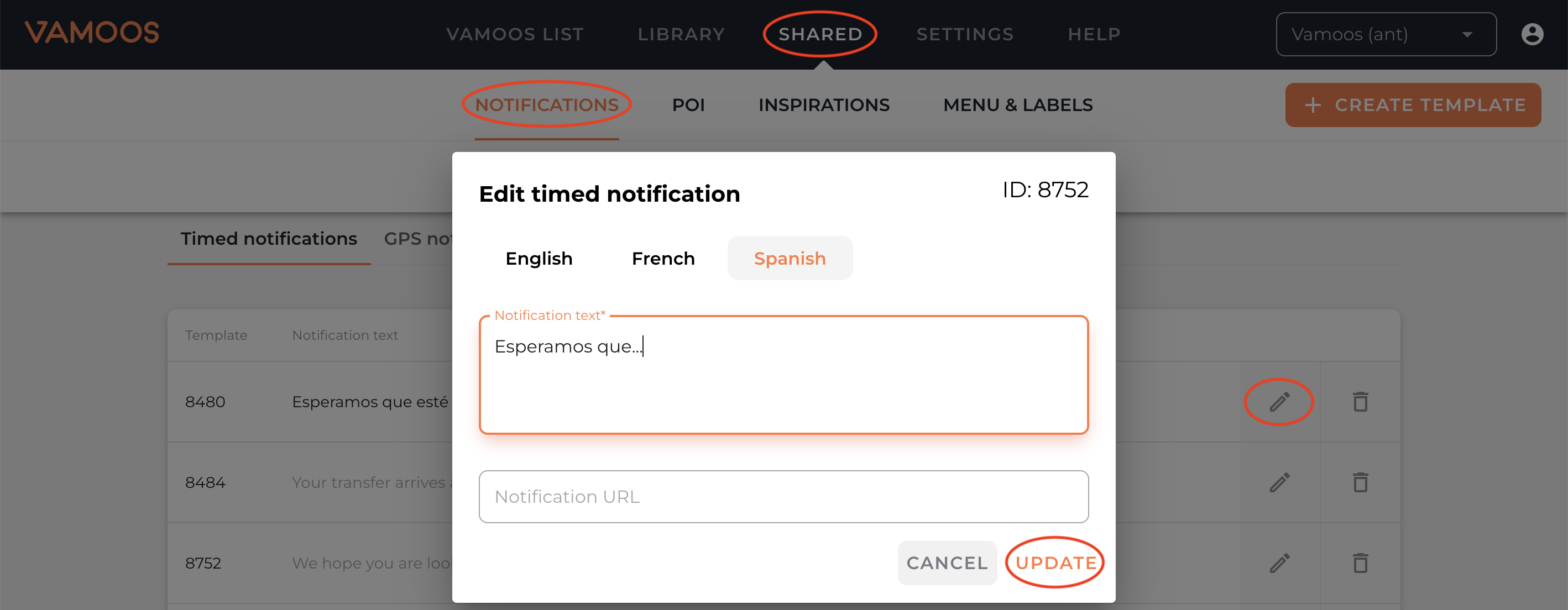
Go to the Shared section to provide translations for Notifications, POIs, Inspirations, and Menu & Labels.
Press the pencil icon to edit an entry, select your language, and add your translation.
PLEASE NOTE: For Inspirations, you must create a brand-new Inspiration in your alternative language, then link it back to your Stay in the Inspirations section.
How to activate Multilingual
Go to Vamoos List > Vamoos Stays and open your property profile.
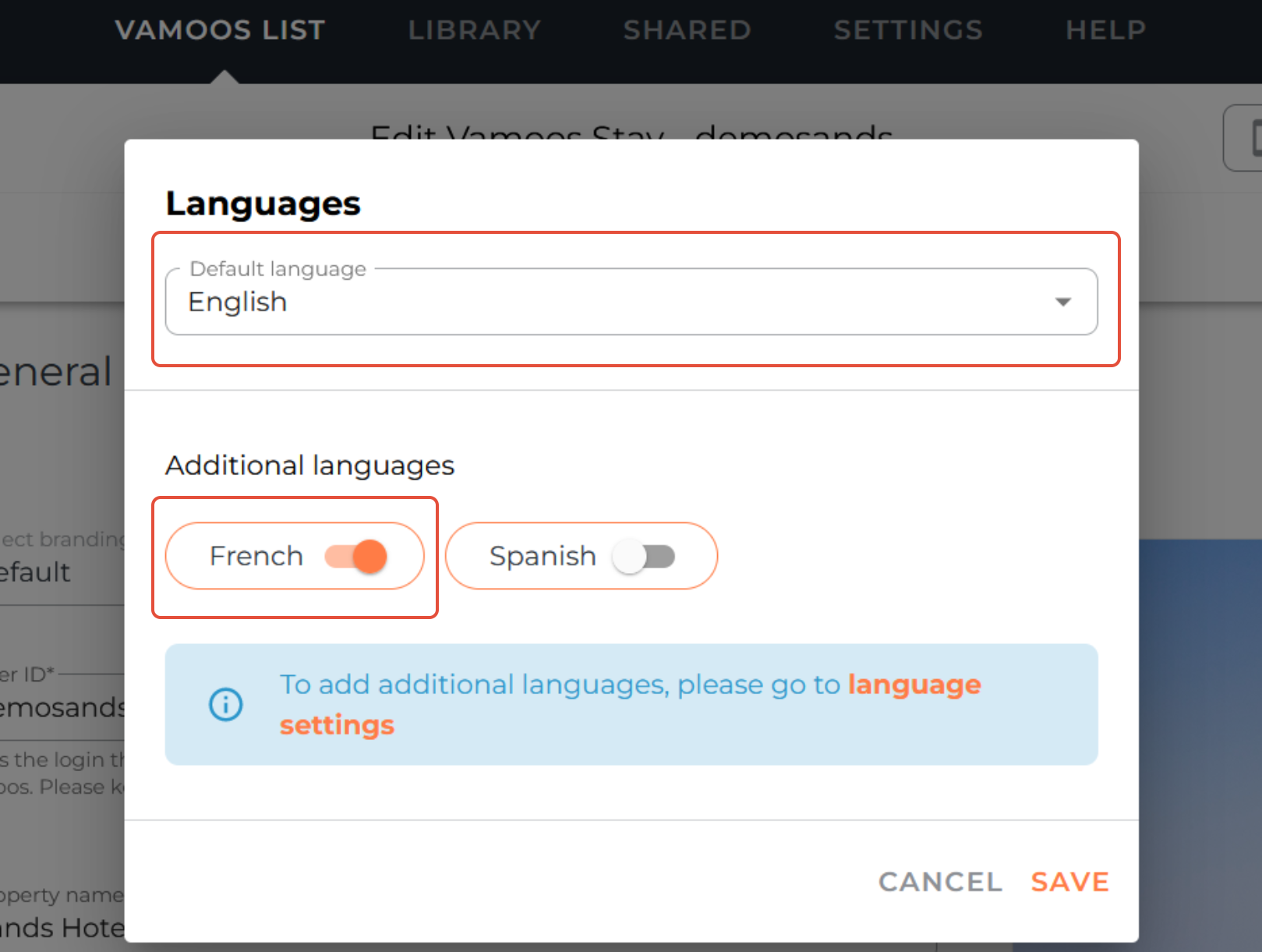
Click the pencil icon next to the language options at the top.
Use the switches to activate languages you want to make live.
You can also set your default language here — this is what shows if no additional languages are activated, or if your guest’s device isn’t set to a supported language.
Vamoos will also auto-translate the login screen, fixed menus, and messages if your guest’s device is set to French, Spanish, German, Dutch, Danish, Norwegian, Swedish, or Finnish.
If you have any further questions or need help with this, contact us at support@vamoos.com.