
Inspirations: promote other properties or activities
✅ For Hotels & Accommodation
Inspirations is a tool that helps you promote your property to guests — whether that’s showcasing future specials or highlighting other properties if you’re a multi-property user. It’s designed to spark interest and encourage repeat bookings directly through the app.
In this article:
Introduction to Inspirations
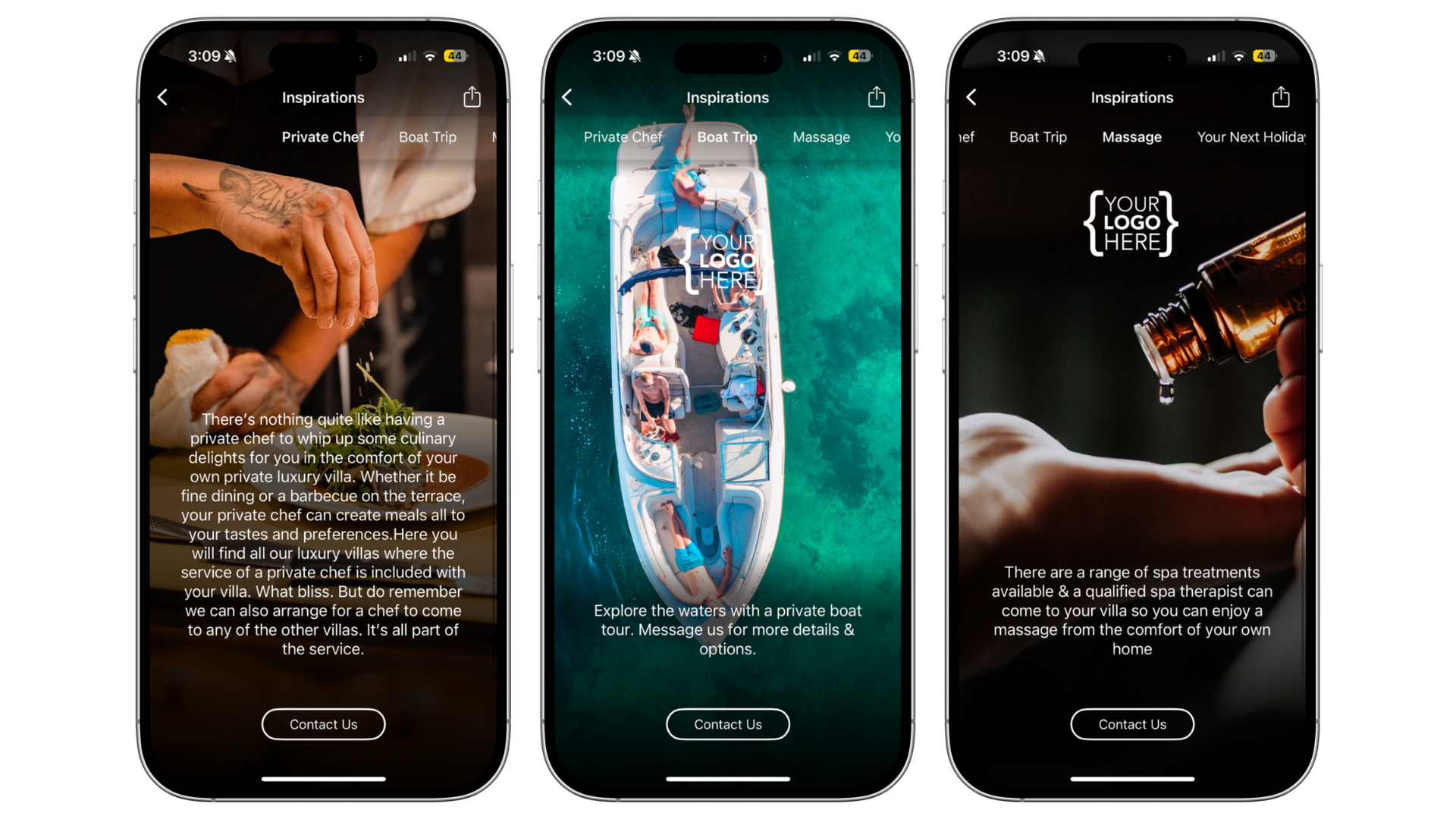
Encourage repeat bookings by showcasing your other properties in-app.
Use Inspirations as a digital brochure to promote offers or optional activities.
Tailor recommendations so guests only see what’s relevant.
A built-in Contact Us button makes it easy for guests to get in touch.
Creating an Inspiration template
Go to the Shared section in the top menu bar.
Click Inspirations then press Create Inspiration.

Label: Internal name (e.g. property name or promotion).
User ID & Passcode: Create a unique passcode to share the Inspiration with prospects who haven’t booked yet.
Contact email & number: Guests who tap Contact Us will be directed here.
Notification text: Short message that appears to guests when changes are made.
TOP TIP: Use Force Update to push your Inspiration update to all users instantly — perfect for a mass promotion or news update.
Adding Inspiration content
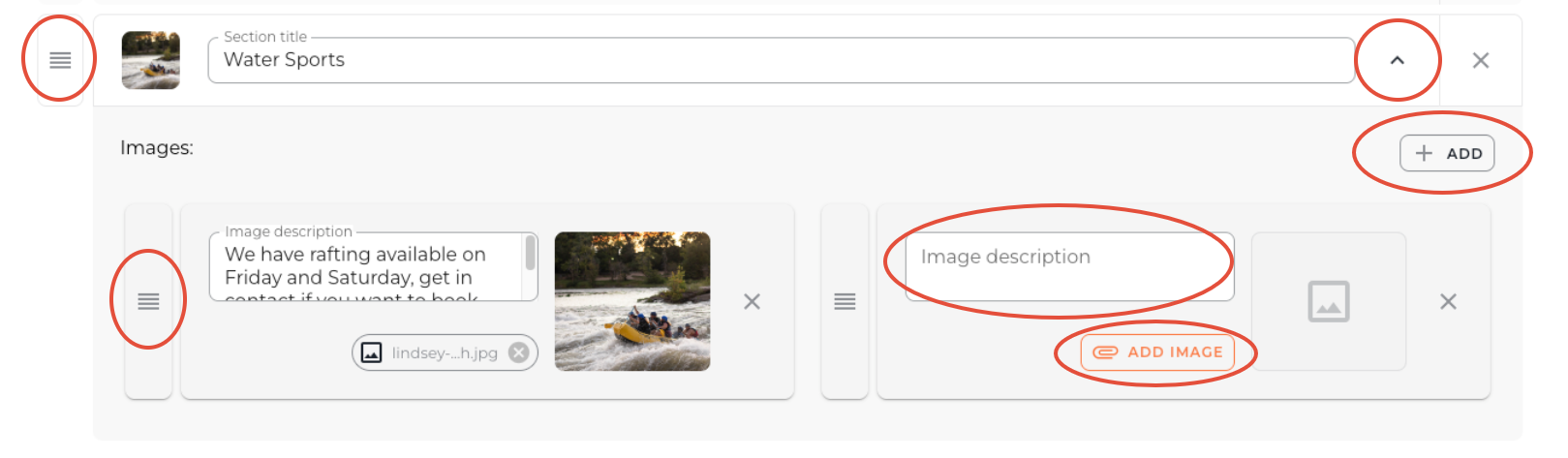
Add brochure text and images under Inspiration Sections.
Click Add to create sections — each section name appears in the top scroll bar of the app.
Within each section, add images and text. Keep descriptions short and engaging.
Reorder sections and images with the drag-and-drop (3 lines) tool.
Linking an Inspiration to your property
Go to Vamoos List and open your Stay (or create a new one).
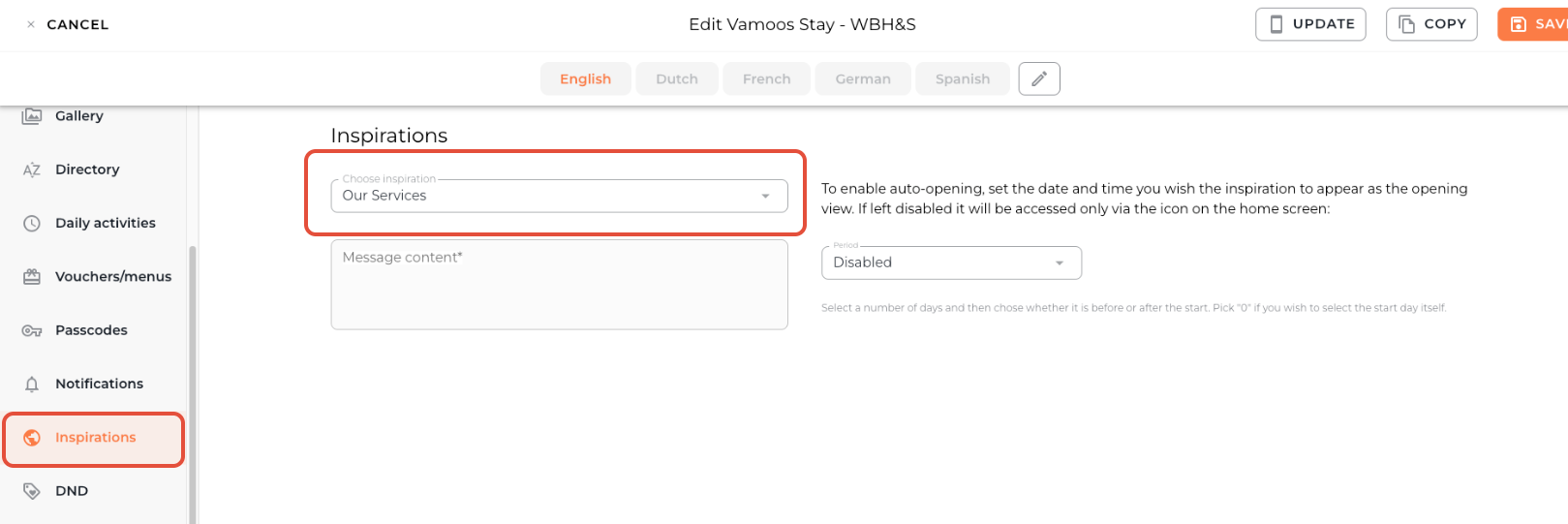
From the left-hand menu, select Inspirations.
Use the Choose Inspiration dropdown to link your template, then press Save.
Inspiration notifications and auto-opening
If left disabled, Inspirations will appear in the app but guests won’t be notified or prompted to open it.
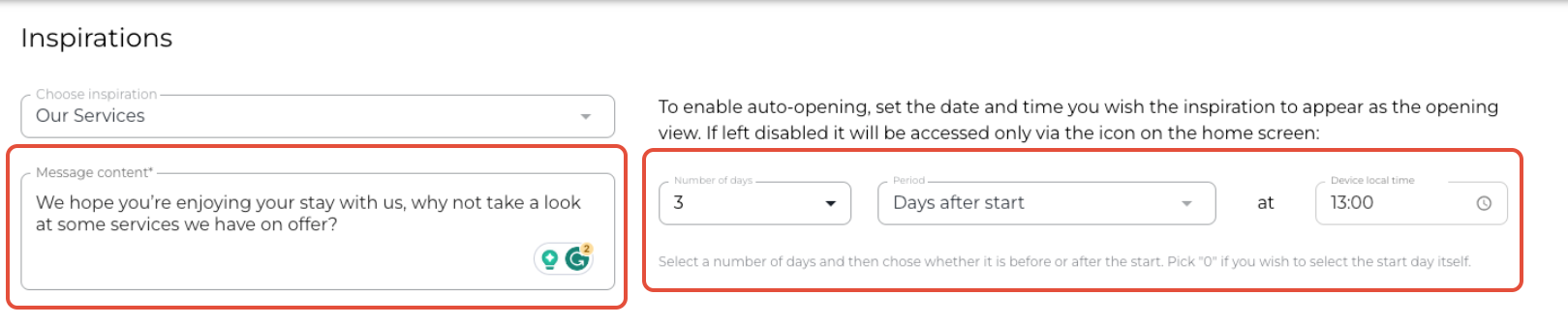
Schedule a notification to send at a chosen date/time — this also auto-opens Inspirations for guests.
Recommended:
Send 3–5 days after checkout to encourage repeat bookings.
Send during a stay if you’re upselling services or activities.
Add your push notification text in the Message Content box.
FAQs
Q: Can I add a URL link in an Inspiration?
A: Yes — links included in the description text are automatically recognised as clickable in the app.
If you have any further questions or need help with this, contact us at support@vamoos.com.