
Creations: generate a PDF itinerary
✅ For Travel Companies
Vamoos allows you to generate a PDF version of the itinerary you have created. This can be useful to attach emails when quoting, or to upload the PDF to the Documents section of the app.
In this article:
Introduction to Creations
The tool allows to automatically generate a PDF document of your Vamoos itinerary.
It's perfect for a back-up tool if you ever need a email or download a PDF version of the itinerary, or if you want to send information for quoting purposes
The PDF includes the day-by-day storyboard information, trip locations on a map, plus the option to add front and back page notes as well as your branding.
For adding your branding, see our guide on headers and footers.
Generating a PDF Creation
Go to your Vamoos List, open the relevant trip, and select Creations from the left-hand menu.
Click + ADD to generate a new document.
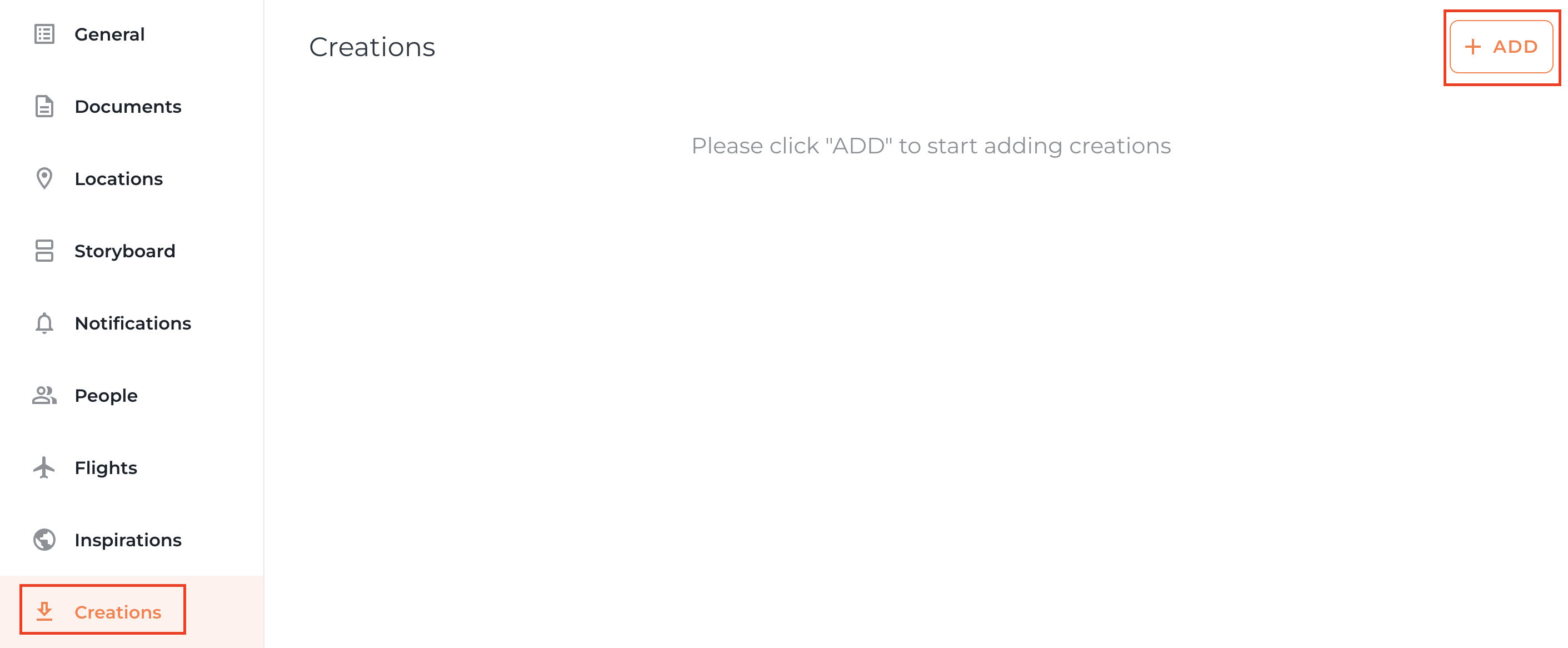
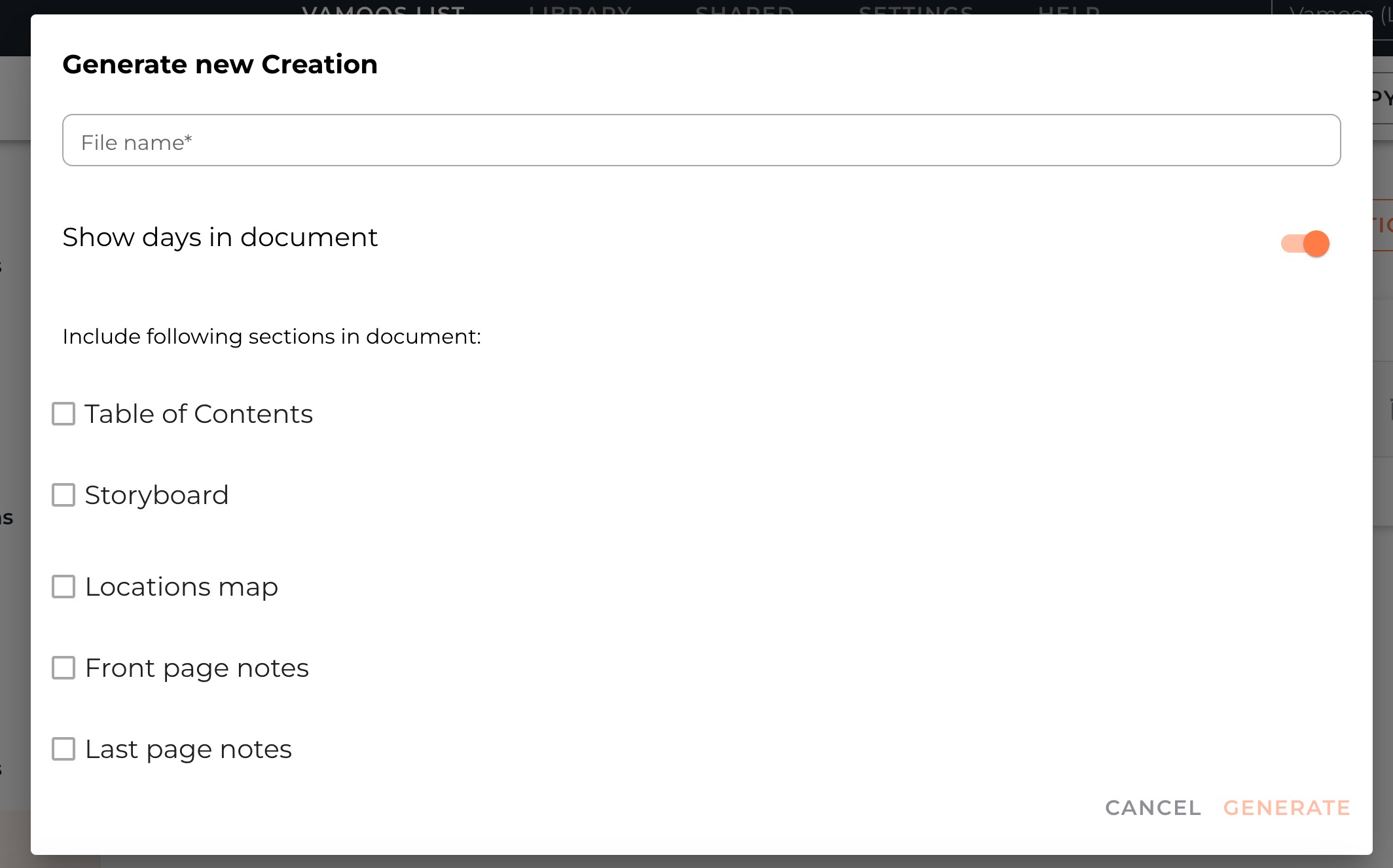
In the pop-up, choose the content you want to include in your PDF:
File name – give your PDF a clear name
Show days in document – if you are using the storyboard for information and without dates, please turn this switch off
Table of Contents – this adds a page with a list with day titles & relevant page numbers
Storyboard – choose to pull through the content in your storyboard, and you can choose either full height or square images
Front/Last page notes – option add extra information such pricing, T&Cs, disclaimers, or a personalised message
Click Generate to create your PDF
Sharing or Downloading your PDF Creation
Once the PDF has been created, you have tools that let you:
Refresh – update the PDF if you made changes to your itinerary
Download – choose either a Web or Print version to your computer (print is higher quality, web ideal of email)
Add directly – place the PDF straight into the Documents section for this trip
Edit – adjust content or settings
Delete – remove the Creation if no longer needed

If you have any further questions or need help with this, contact us at support@vamoos.com.