
Tour Leader Notifications Application
✅ For Travel Companies
Let Tour Leaders send instant reminders, updates and important information to travellers directly from the app
In this article:
What is a Tour Leader Notifications Application?
This Studio Application allows Tour Leaders to send instant reminders, updates and all other information directly from the app, without you having to give them access to the Vamoos Portal.
If you're interested in using the Tour Leader Notification application, please contact support@vamoos.com for pricing information and to gain access to the zip file.
How to set up Tour leader Notifications Application
In the portal:
Head to Account settings, generate an API key and share it with support@vamoos.com.


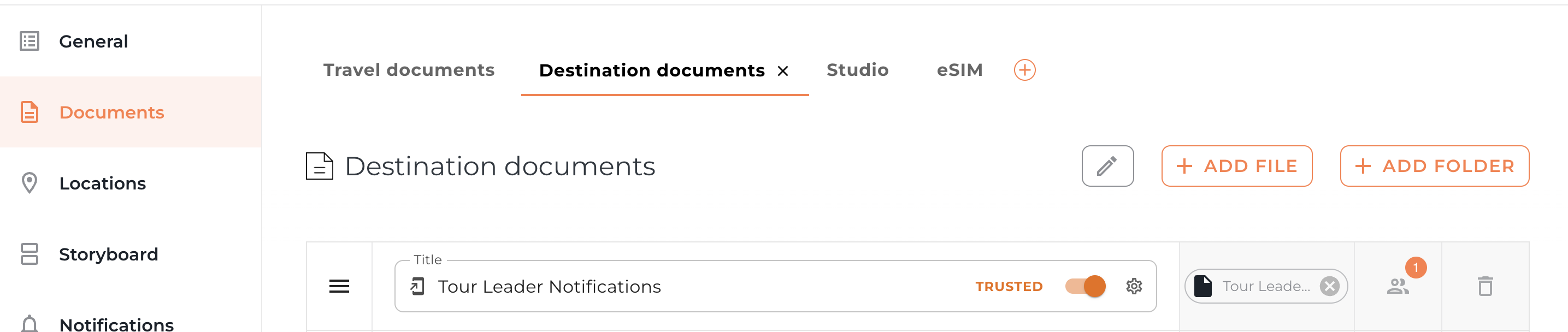
Download the Application file and upload it across all trips, or to selected trips only, following the standard Studio Application upload process.
Top tip: Upload the file to the Documents section and personalise it so that only the Tour Leaders can access it.
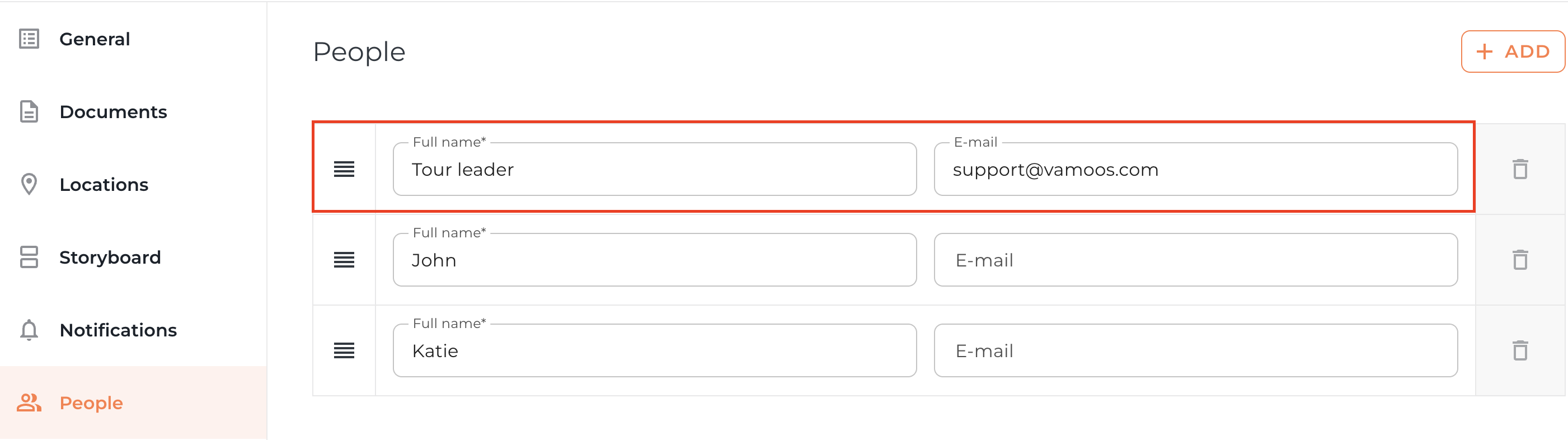
Include the Tour Leader’s email address under the People section.
In the app:
The Tour Leader opens the Application and is prompted to verify their email. This must match the email entered in the People section.
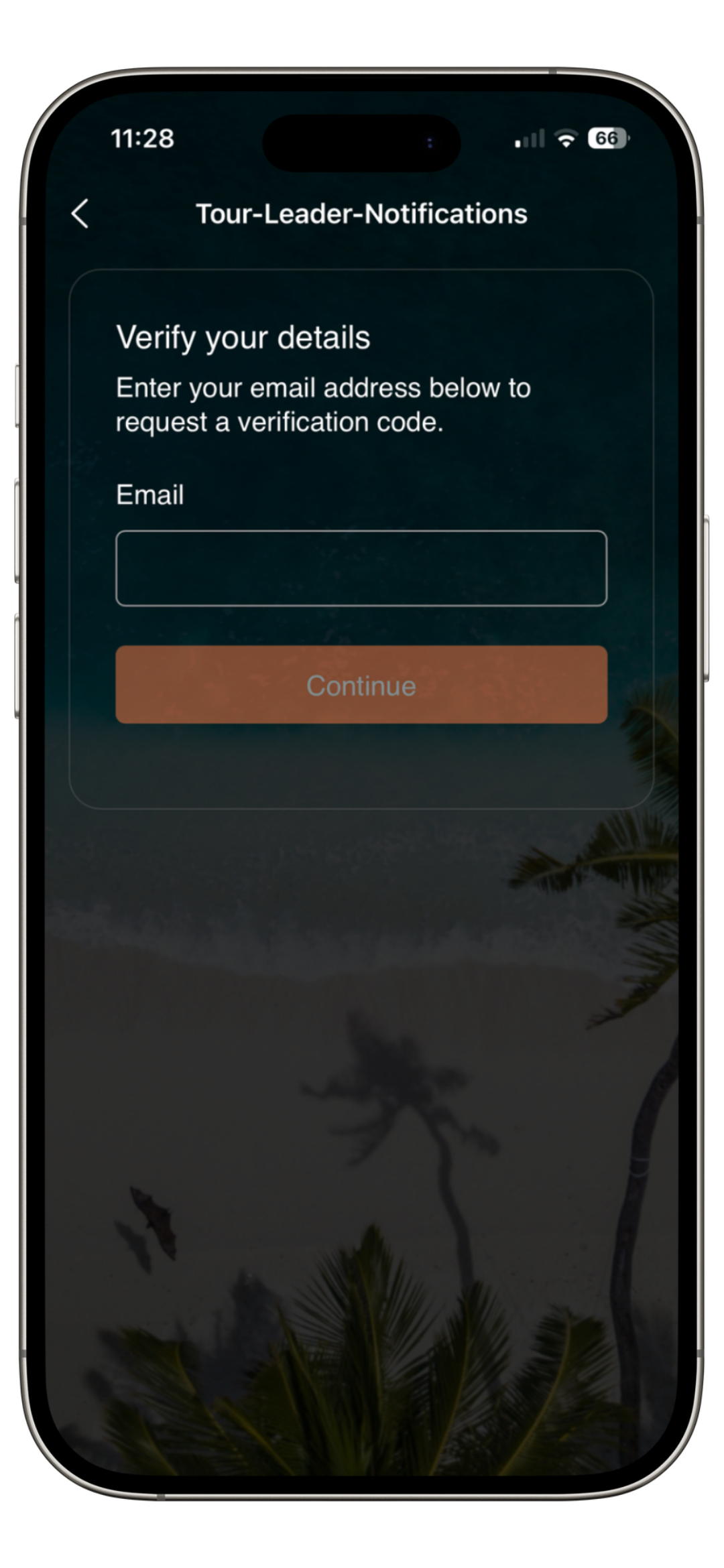
They receive a verification code by email and enter it in the app. This step only needs to be done once. If the code expires, they can request a new one by selecting 'Send new code.'
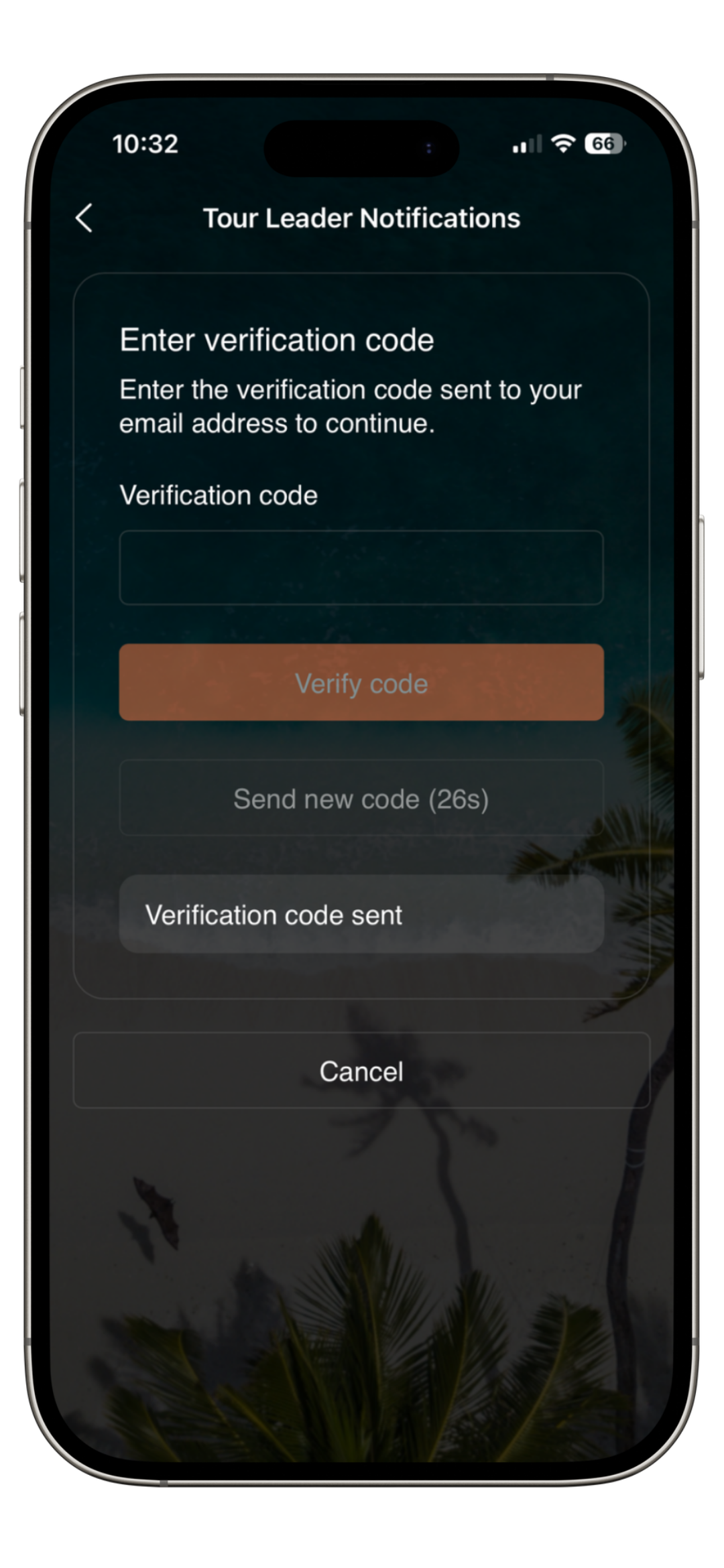
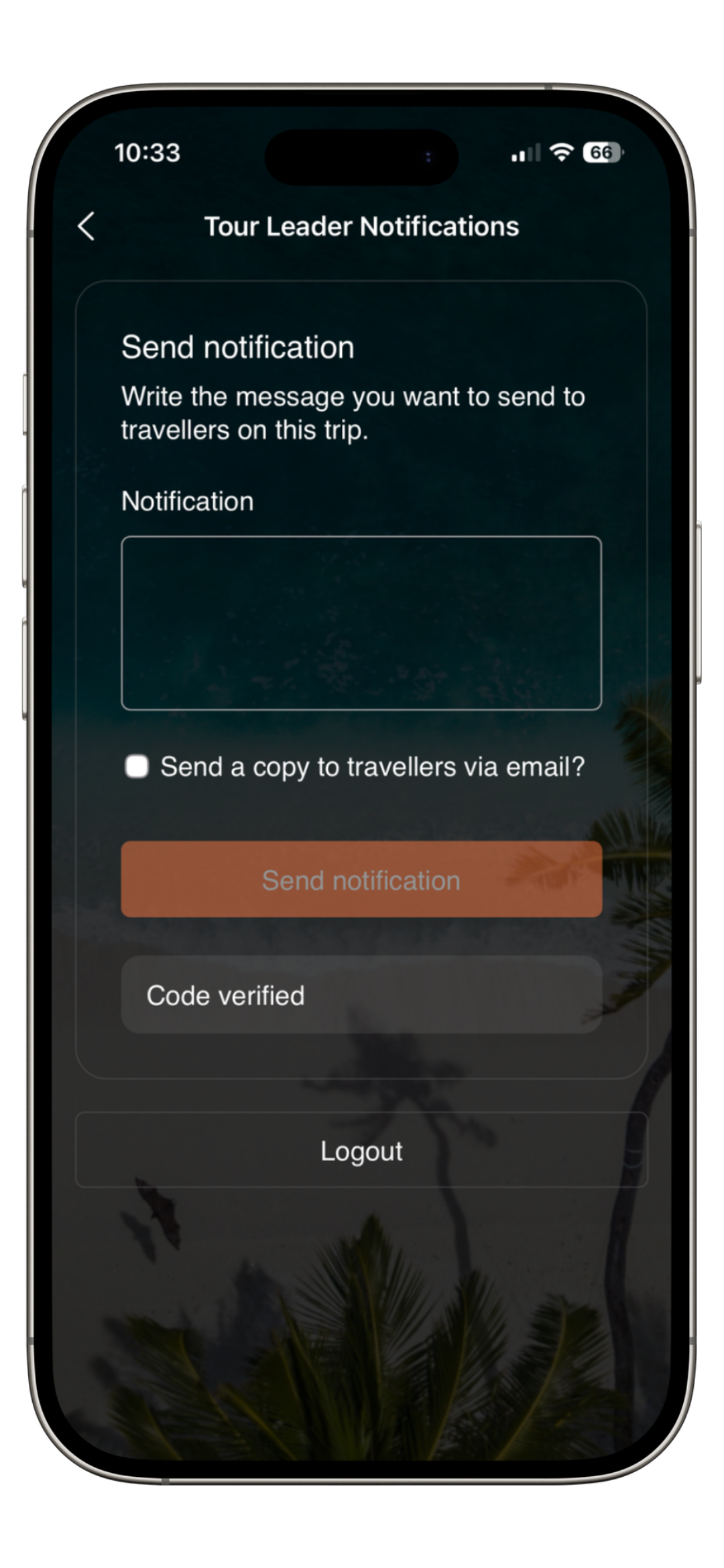
Once verified, the Tour Leader can send Notifications to all travellers directly from the app.
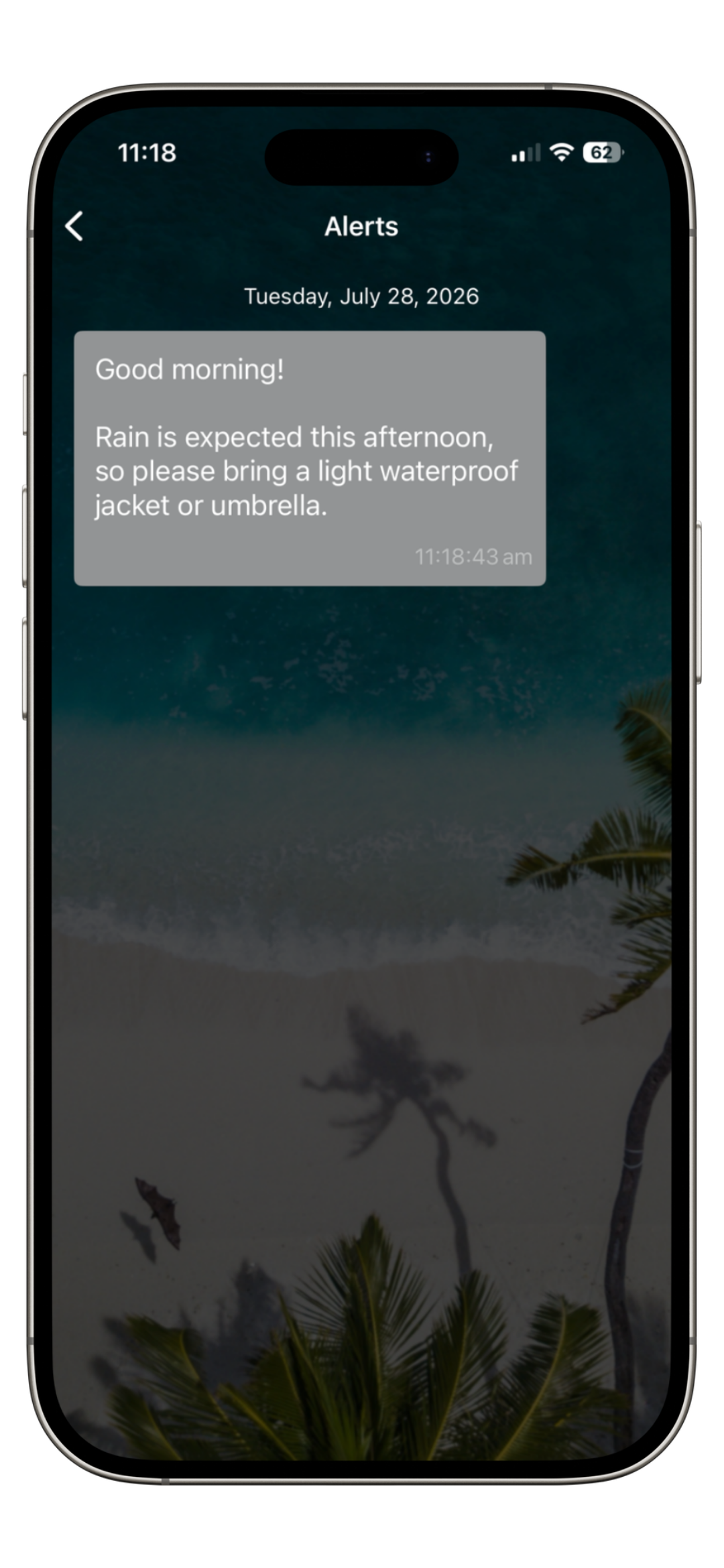
Travellers will receive the Notification in their Messaging section as usual.
If you have any further questions or need help with this, contact us at support@vamoos.com.