
Posts: share holiday photos in the app
✅ For Travel Companies
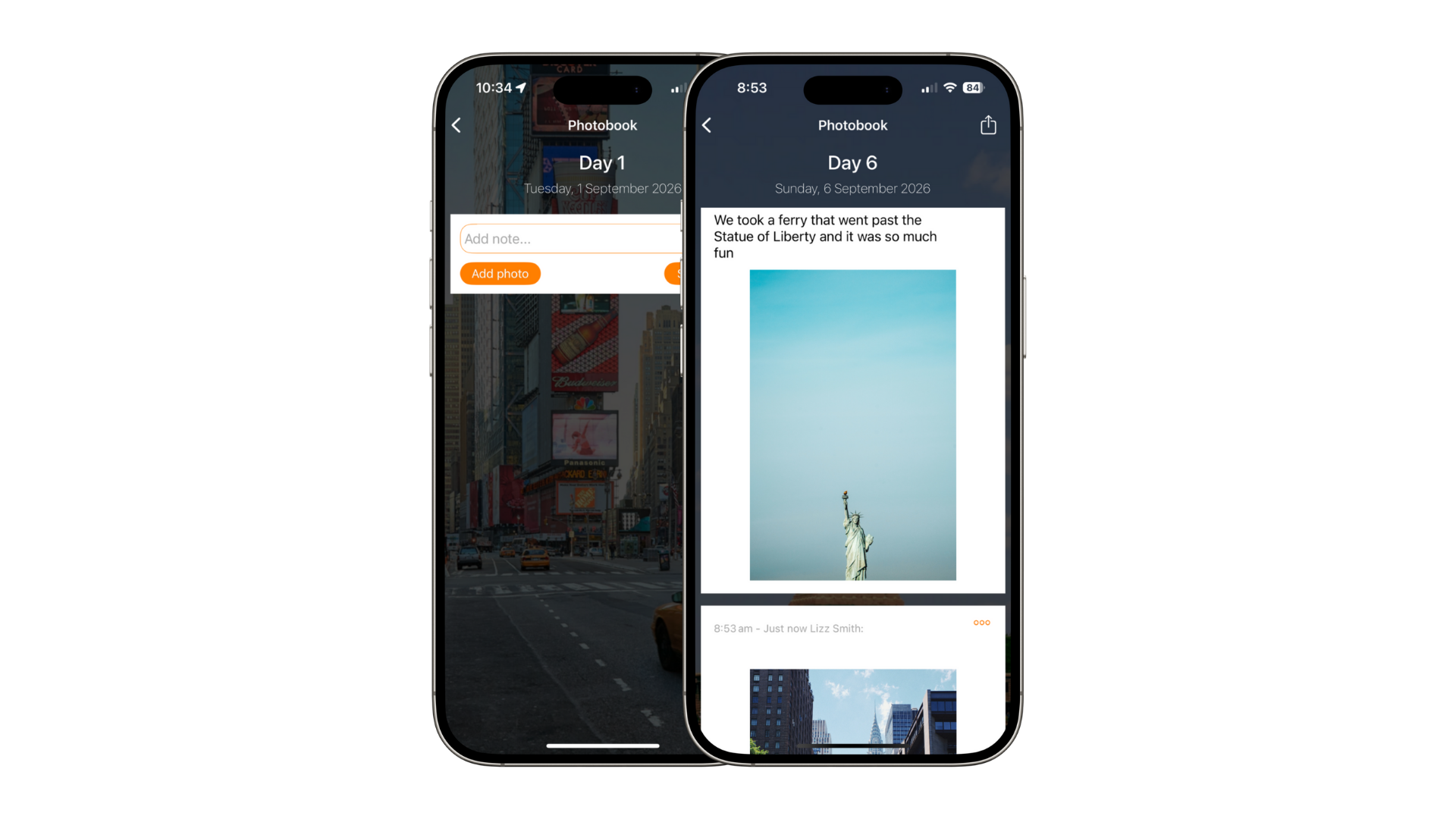
Clients can use the in-app digital diary to share pictures and comments with friends and family.
In this article:
Introduction to Posts
Posts is an in-app feature that allows clients to share photos & notes with other members of their group.
It’s a fantastic way to capture each day of a trip, creating a digital holiday diary.
Clients can even print a Phoobook branded with your logo directly from the app.
How to turn ON the Posts section
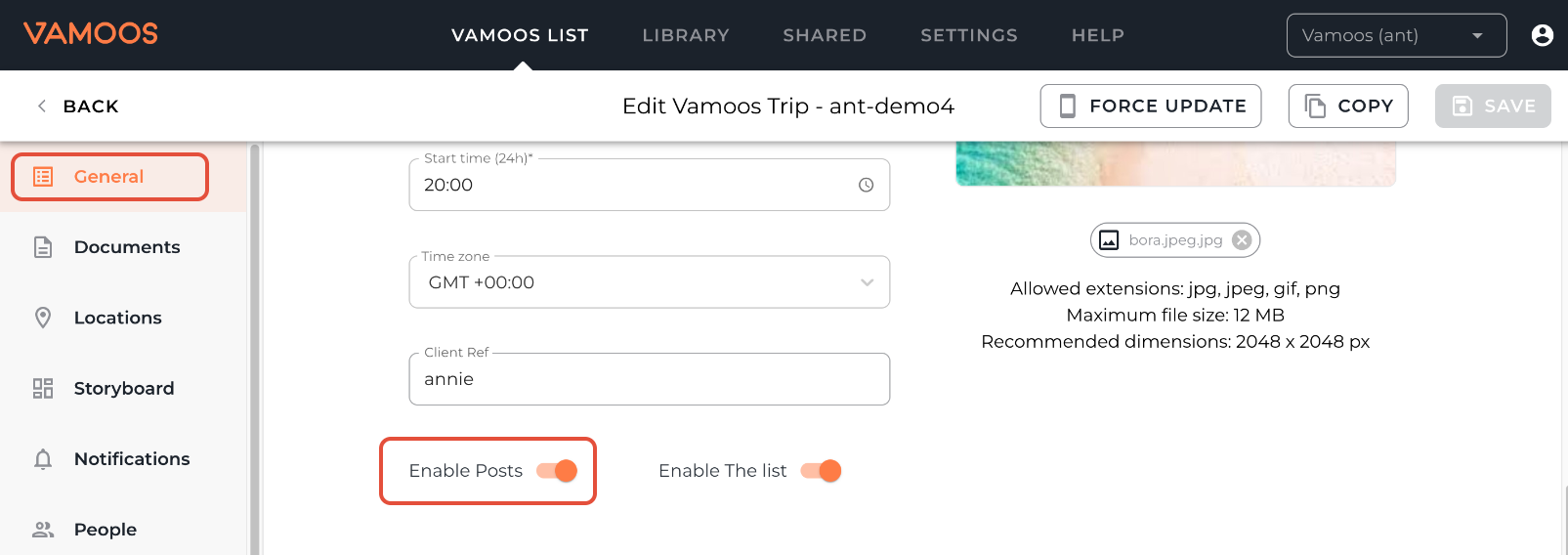
In your Vamoos List, open the trip you’d like to enable this on.
Go to General in the left-hand menu. Toggle Enable Posts to ON – this makes the Posts section appear in the app.
TOP TIP: Rename “Posts” to “Photobook” to inspire your clients to order a printed photobook at the end of their trip. You can do this in the Menu & Labels section.
How to post photos & notes in the app
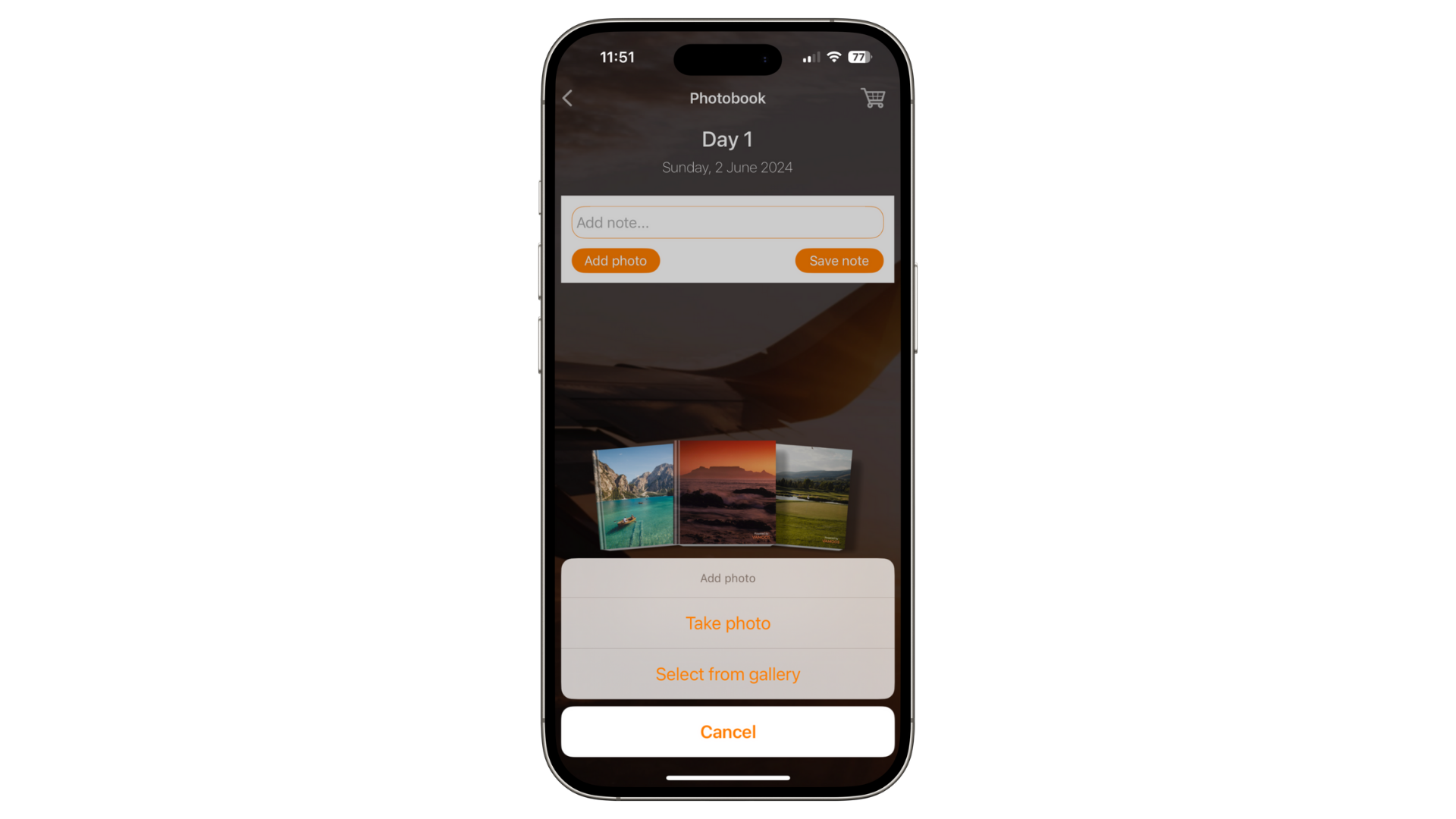
Open the Posts section in the app and tap Add Photo or Add Note.
Photos can be uploaded from the camera roll or taken directly in-app.
To find out how your clients can print their digital diary, read more about our Photobook feature.
If you have any further questions or need help with this, contact us at support@vamoos.com.