
Publisher: create a PDF
✅ For Hotels & Accommodation
The Publisher tool lets you generate a PDF version of your app content. It can act as a printable guide or a backup you can email to guests, and you decide exactly what information is included.
In this article:
Introduction to Publisher
Automatically generate a PDF of your Vamoos Stay.
Use it as a handy backup - for example, if you need to email property details or create a printed guest guide.
Choose which sections to include for a personalised PDF.
To add your own branding, see how to add headers and footers.
Generating a Publisher PDF
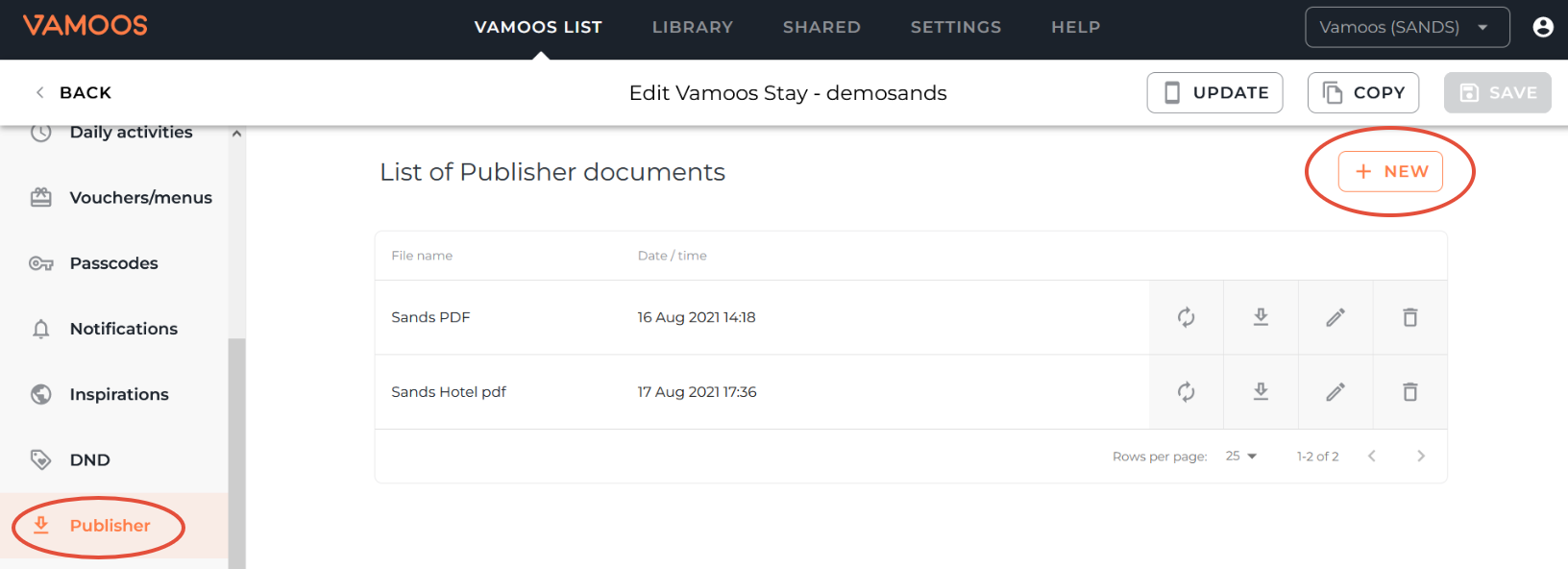
Go to your Vamoos List > Vamoos Stays and open the stay you’ve created.
Select Publisher from the left-hand menu.
Click + NEW to create a Publisher.
Next, choose what you want included in your PDF:
File Name: Give your PDF a clear name.
Cover Page: Uses your app’s home screen image (from the General section).
Table of Contents: Adds an overview page of all sections included.
Introductory Notes: Add a welcome message and choose whether to include your contact details.
Directory: Select which property features you’d like to include (learn more).
Maps: Display up to 3 maps, including points of interest.
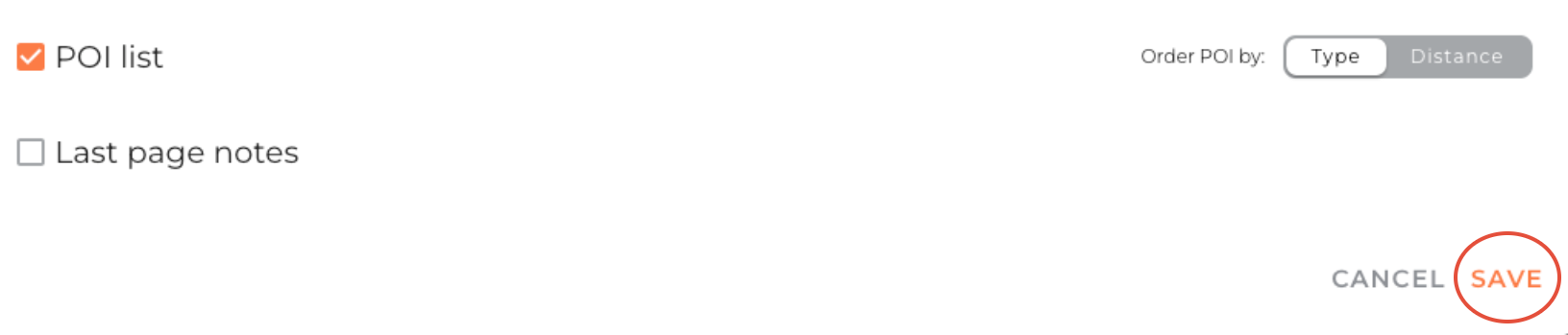
POI List: Show all pre-loaded Points of Interest with descriptions, ordered by type or distance.
Last Page Notes: Add any final property details.
When ready, click Save and your PDF will be generated.
Sharing or downloading your Publisher PDF
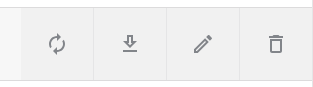
Refresh: Update the PDF if you’ve changed content in your Stay.
Download: Choose a Web version (smaller file, best for email) or a Print version (higher resolution).
Edit: Make changes to your Publisher settings.
Delete: Remove the Publisher.
TOP TIP: If you plan to attach the PDF to an email, use the Web version for a smaller file size.
FAQs
Q: Can I edit a Publisher after creating it?
A: Yes, use the Edit option to update your settings and re-save the PDF.Q: What’s the difference between Web and Print versions?
A: The Web version is smaller and easier to email, while the Print version is high resolution for physical copies.
If you have any further questions or need help with this, contact us at support@vamoos.com.